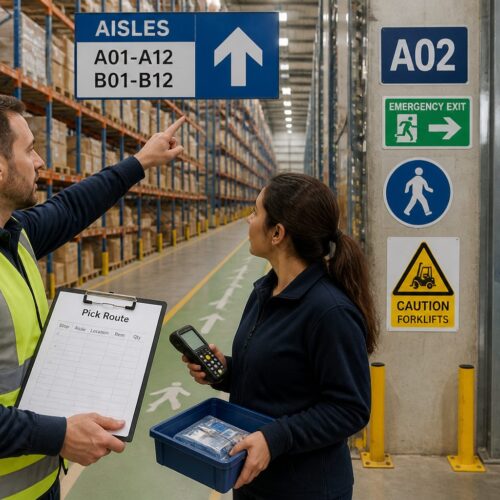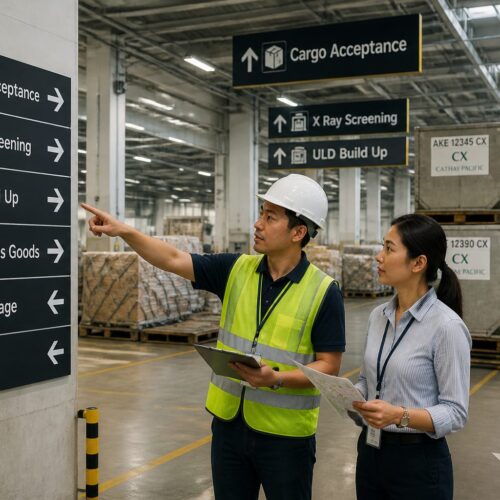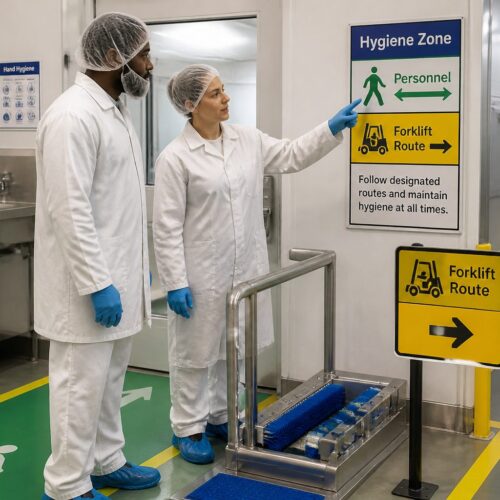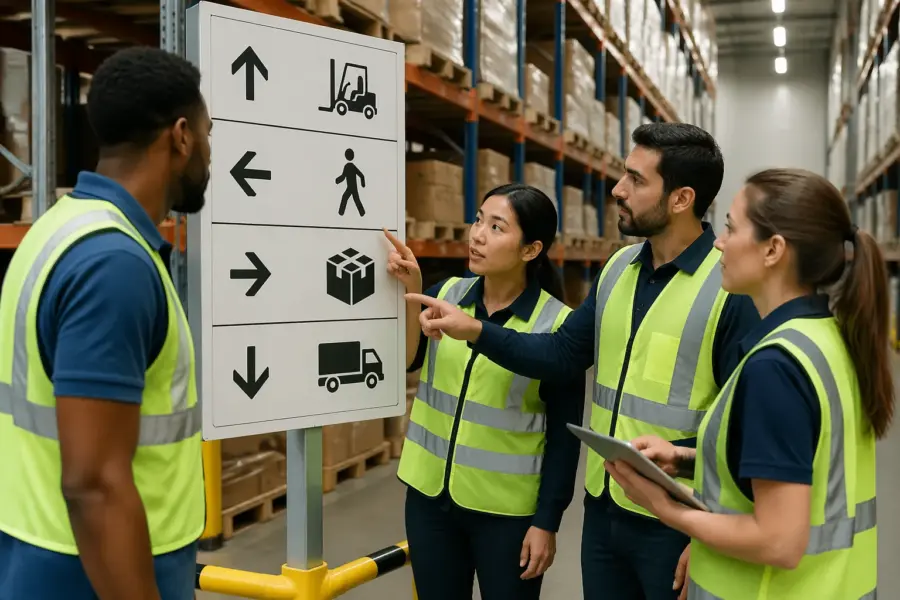
A warehouse is loud, fast, and full of small decisions that add up to safety or trouble. When your workforce speaks five or ten languages, the usual wall of printed instructions stops working.
This is where pictogram signage for multilingual warehouses earns its keep. A clear symbol can cut through noise, distance, and language gaps in a way a paragraph never will.
I have seen facilities spend months translating labels into Spanish, Vietnamese, Somali, and Polish, then watch new hires still hesitate at intersections. The issue was not effort, it was that text is slow to scan when you are driving a pallet jack or hunting for a dock door.
Pictograms are not magic, and sloppy icons can confuse people faster than bad English. The goal is simple direction and safer choices, built on universal pictograms that match what people actually do on the floor.
When pictograms help most in logistics environments
Pictograms work best where people move, not where they stop to read. If a task happens while walking, driving, or carrying, the sign has to communicate in one glance.
In logistics environments, the highest value signs are the ones that prevent a wrong move before it happens. A symbol that is understood in two seconds is often the difference between a smooth flow and a near miss.
High traffic intersections inside a DC are a perfect example, like the cross aisles between pick modules and replenishment lanes. Multilingual wayfinding needs to show where to go and where not to go before a forklift commits to a turn.
These intersections are also where visitors and office staff get lost, because they do not live in the building. A simple arrow plus a recognizable destination icon keeps them out of equipment lanes without needing a supervisor escort.
Safety zones also benefit because the meaning is binary, you are in the right place or you are not. Think eyewash stations, pedestrian only corridors, battery charging rooms, and emergency exits.
In an emergency, people do not translate, they react, and reaction time is everything. A running-man exit symbol or an eyewash icon is faster than any sentence, even for fluent readers.
Pictograms are strong for equipment interactions where the risk is predictable, like pinch points, overhead doors, and dock levelers. The sign is not teaching the full procedure, it is reminding the worker to slow down and follow the known steps.
They also help in areas with constant background noise, like stretch-wrap stations and conveyor merges. When you cannot hear shouted warnings, a bold warning symbol becomes part of the environment people rely on.
Pictograms also help with temporary staff because staffing agencies rotate people constantly. A seasonal worker might not know your internal terms like “inbound prep” or “value add,” but they can understand a symbol that matches the physical reality.
Temp staff also tend to move between sites, so they bring expectations from other warehouses. If your signs use familiar, universal pictograms, you reduce the learning curve on day one.
Another place pictograms shine is in mixed-mode zones where pedestrians and vehicles share space. A pedestrian icon paired with a forklift icon can communicate separation rules even when people are tired at the end of a shift.
Even simple housekeeping messages benefit when the floor is busy, like “keep clear” zones in front of electrical panels or fire equipment. A clear keep-clear pictogram prevents the slow drift of pallets and carts into protected space.
Choosing pictograms that match real tasks and locations
Start with a walkthrough and list the decisions people make at each spot, not the departments on your org chart. The icon set should answer practical questions like where to stage returns, where to scan in pallets, and where pedestrians should cross.
During the walkthrough, watch what people do when they hesitate, because hesitation is a sign the environment is not self-explanatory. If three different associates pause at the same corner, that corner is telling you something.
It also helps to map the building as a series of choices rather than a series of rooms. A worker is constantly choosing between left and right, stop and go, scan and move, and those are the moments signage should support.
Good pictogram signage for multilingual warehouses uses concrete objects that exist in the building. If you do not have a conveyor at that location, do not use a conveyor icon just because it looks industrial.
People trust signs that match what they see, and they distrust signs that feel generic. If the icon shows a dock door but the area is a roll-up gate, that mismatch creates doubt.
When you pick equipment silhouettes, choose the ones that resemble your fleet and your workflow. A reach truck silhouette can look very different from a counterbalance forklift, and the wrong one can reduce clarity for new hires.
Match the symbol to the action, not the policy document. A “no entry” icon at a rack aisle reads differently than a “restricted area” icon at a chemical cabinet, so design them for the exact risk.
Try to avoid vague symbols that only make sense after a long explanation. If the sign is meant to stop someone, the icon should feel like a stop, not like a suggestion.
Be careful with symbols that rely on culture, like hand gestures or letters embedded in icons. Universal pictograms usually lean on shapes, arrows, doors, stairs, people, and common equipment silhouettes because those travel better across languages.
Even colors can carry different meanings across contexts, so do not rely on color alone to carry the message. Color should support the symbol, not replace it, especially in low light or for color-blind workers.
When you need a custom pictogram, build it from familiar parts rather than inventing a new visual language. A pallet plus a barcode plus a scanner shape will usually beat an abstract icon that looks like a logo.
It is also worth checking whether a standard already exists for your most common hazards and requirements. ISO-style safety symbols and common PPE pictograms are recognized in many countries, which helps in multilingual crews.
Finally, decide what you will not sign, because too many icons become wallpaper. If every post has five symbols, workers stop seeing any of them, and the important messages get buried.
Pairing pictograms with short text the right way
Text still matters, but it should confirm the pictogram rather than carry the full meaning. Keep the words short, use common terms, and avoid internal nicknames that only supervisors understand.
Think of the text as a label for the icon, not a replacement for it. If the pictogram is doing its job, the text becomes reassurance rather than a requirement.
Short text also helps when someone is learning the symbol set for the first time. Over time, the icon becomes the primary cue and the words fade into the background.
When you add multiple languages, do it with discipline so the sign stays scannable at a distance. I prefer one primary language plus one secondary language on the sign face, then put the rest in a nearby reference board or digital training material.
This approach respects the reality of viewing distance, because most warehouse signs are read from ten to thirty feet away. If you cram five languages into that space, you end up with tiny type that nobody reads.
Pick the languages based on your headcount and turnover, not on a one-time survey from five years ago. If your staffing mix changes, update the language plan instead of letting it drift.
Use consistent phrasing across the building so workers do not have to interpret synonyms. If one sign says “PPE required” and another says “Wear protection,” you have created two messages where you only needed one.
Avoid long verbs and technical jargon that do not translate cleanly. Words like “authorized personnel only” can be replaced with simpler phrases that match the symbol, like “No entry” or “Staff only.”
Typography matters more than people think, because thin fonts disappear under glare and dust. Use a bold, simple typeface with enough spacing that letters do not merge at a distance.
If you use numbers, be consistent about formats like speed limits and aisle IDs. Numbers are a quiet advantage in multilingual wayfinding because they are fast to recognize and hard to misread when presented clearly.
| Sign goal | Pictogram approach | Short text example |
|---|---|---|
| Stop pedestrians at a forklift lane | Person silhouette with stop hand icon and lane line | Stop, look both ways |
| Direct drivers to inbound docks | Truck icon with arrow and dock door shape | Inbound docks |
| Require PPE in battery room | Face shield and gloves icons in a mandatory circle | PPE required |
| Mark returns drop zone | Box with curved arrow and pallet outline | Returns drop |
| Show emergency exit route | Running person and door with directional arrow | Exit |
When you review a sign, cover the text with your hand and see if the icon still works. If it fails that test, the solution is usually a better pictogram, not more words.
Also watch for translation length, because some languages expand and will break your layout. Designing for the longest likely phrase keeps the sign clean when you add a second language.
If you need to explain a multi-step process, do it as a separate instruction board with numbered pictograms. The floor sign should still be a quick cue, not a mini manual.
Consistency rules: style, stroke weight, and icon families
Mixed icon styles look harmless on a screen but turn into visual noise on the floor. Pick one icon family and stick to it, with the same stroke weight, corner radius, and perspective.
Consistency is how you train the eye, because workers learn the “grammar” of your signs. If arrows sometimes sit above the icon and sometimes inside it, people pause to decode the format.
That pause is not just a design issue, it is an operational issue, because hesitation happens in motion. In a warehouse, a half-second of uncertainty can turn into a sudden stop, and sudden stops create their own hazards.
Use a small set of shapes for categories, like circles for mandatory PPE, triangles for warnings, and rectangles for directions. This kind of structure supports multilingual wayfinding because the category reads before the details.
Once people learn that a blue circle means “you must,” they start obeying faster. The symbol inside the circle then becomes the specific instruction rather than the whole message.
Do not let every department add their own clip art because it looks close enough. A warehouse with universal pictograms still needs a gatekeeper, usually EHS or a site standards owner, who says yes or no.
This gatekeeper role should include approving new icons, retiring old ones, and keeping the master files in one place. If the files live on five laptops, you will eventually print five different versions.
Standardize arrow types and directions, including how you show left turns, right turns, and straight-ahead movement. If you sometimes use chevrons and sometimes use filled arrows, you are teaching two languages at once.
Decide on a consistent level of detail, because some icons become too busy to read quickly. A forklift icon with tiny wheels and forks might look nice in a catalog, but it often blurs at distance.
Contrast is part of consistency, especially in dusty or low-light areas. If some signs are high contrast and others are muted, workers learn to ignore the faint ones.
Materials also affect consistency, because a glossy sign and a matte sign behave differently under LED glare. If your building has strong overhead lighting, choose finishes that keep the icon readable from common approach angles.
Finally, keep the same naming and numbering scheme for destinations across all sign types. If the dock is “D12” on the WMS screen, it should not be “Door 12” on one sign and “Dock 12” on another.
Field testing: how you check if people interpret symbols correctly
Symbol comprehension testing is the part most sites skip, then they act surprised when the icon fails. You can run a basic test in a break room with printed cards and a stopwatch.
Testing does not need to be formal research, but it does need to be honest. The goal is to find confusion early, before you print fifty signs and mount them across the building.
Show the symbol without text and ask, “What does this mean here?” then record the first answer, not the corrected answer after discussion. If people disagree, you do not have a universal pictogram, you have a debate starter.
Pay attention to answers that are close but not correct, because those are the dangerous ones. If someone thinks “battery room” means “break room,” the icon is not just unclear, it is misleading.
Test with the people who will actually use the sign, including temp labor, night shift, and drivers who do not attend your daytime meetings. If you only test with supervisors, you will get polite guesses that do not match real comprehension.
Include a mix of language backgrounds in the same session so you can see where meaning diverges. Sometimes a symbol is obvious to one group and confusing to another, and that is the point of multilingual testing.
Set a pass threshold and enforce it, like 85 percent correct within five seconds. When an icon fails, fix the drawing or replace it, because training people to memorize a bad symbol is a losing game.
Five seconds is a useful benchmark because it reflects real movement on the floor. If it takes longer, the sign is not a quick cue, and you should treat it as an instruction board instead.
After the break-room test, do a floor test by taping a prototype sign at the real location for a day or two. Ask associates afterward what they thought it meant, and watch whether behavior changes without coaching.
Look for unintended interpretations, like an arrow that people read as “go this way” when you meant “exit this way.” Small differences in arrow placement can flip meaning in a hurry.
Document test results so you can defend decisions later when someone wants to swap in a prettier icon. A sign that is boring but understood is better than a sign that is stylish but ambiguous.
If you operate multiple sites, share test findings across them so you do not repeat the same mistakes. A proven icon set becomes a standard asset, not a one-off project.
Placement for quick scans: corners, intersections, and entrances
Placement is where good icons go to die, because the best pictogram in the world cannot help if nobody sees it. Put direction signs at decision points, not after the turn or halfway down the aisle.
Decision points include the moments where a person can still choose a safer path, like before a cross aisle or before a dock approach. If the sign appears after the commitment, it becomes a complaint instead of guidance.
At corners, mount signs so they face the approach path, not the destination. Forklift drivers need the information while they still have room to slow down and signal.
Think about sight lines from both directions, because traffic is rarely one-way all day. A sign that works for inbound flow but fails for outbound flow is only half a system.
At entrances, use a simple cluster that sets expectations, like PPE rules, speed limits, and pedestrian routes. Keep that cluster consistent across doors so a worker does not have to relearn the rules at every entry.
Entrance clusters are also useful for visitors and contractors, because they often miss verbal instructions. A clear set of pictograms at the door reduces the need for repeated reminders.
Height and lighting matter more than people admit in design reviews. If a rack beam blocks the sign from a seated forklift position, you need a different mounting point or a hanging sign.
Mounting height should match the viewer, which might be a pedestrian at five feet or a driver seated lower with a mast in front. A quick check is to sit in the truck and confirm the sign is visible without leaning.
Use repetition in long aisles so people can confirm they are still on the right path. A single sign at the aisle entrance is not enough if the aisle runs the length of the building and has multiple cross points.
Be careful with clutter around signs, like banners, seasonal posters, or stacked pallets near posts. The more visual competition you allow, the less your pictograms function as quick scans.
For critical safety messages, consider floor markings paired with wall signs, because the floor is often where eyes go during movement. A pedestrian icon painted at a crossing reinforces the overhead sign without adding extra text.
Also consider the direction of travel speed, because faster zones need earlier notice. A sign that is readable at walking speed might be useless when a tugger is moving through the same area.
Updating pictograms when processes change
Warehouses change faster than signage budgets, so you need a simple update process. When a pick line becomes a returns lane, the old icon becomes misinformation on day one.
Misinformation is worse than no information because it teaches the wrong habit. If workers learn that signs are often outdated, they stop trusting the whole system.
Keep a sign inventory with location IDs, photos, and the file name for the artwork. This is boring admin work, but it stops the common problem of three versions of the same symbol floating around.
The inventory should also include the installation date and the owner responsible for the message. When something changes, you want a clear person to call, not a guessing game.
Build change triggers into your operational routines, like slotting resets, new equipment installs, or changes to pedestrian barriers. If the process owner files a change request, the signage owner should get a task in the same workflow.
This can be as simple as a checkbox in your project closeout, asking whether any signs are affected. The point is to make signage part of the process, not an afterthought.
Do not patch over changes with tape and printed paper unless it is a true short term emergency. Temporary fixes train workers to ignore signs, and that is hard to undo.
If you must use a temporary sign, make it look temporary on purpose and set an expiration date. A dated temporary placard is less likely to become a permanent piece of clutter.
When you update icons, retire the old ones completely rather than letting them linger in back rooms and tool cribs. Old signs tend to reappear during a rushed project, and then you are back to inconsistency.
It also helps to keep a small stock of blank sign panels and standardized mounting hardware. When operations change quickly, the ability to swap a panel in hours instead of weeks keeps the system credible.
After a major change, do a quick audit walk to confirm the new signs match the new flow. The audit should include both day and night conditions, because lighting and traffic patterns can shift the way signs are perceived.
Finally, communicate updates during shift huddles so workers know the signs reflect current reality. When people see that signage changes with the process, they treat it as a live tool rather than background decoration.
Conclusion
Pictogram signage for multilingual warehouses works when you treat it like an operational system, not wall decoration. The best programs tie universal pictograms to real tasks, enforce consistent styles, and verify meaning with symbol comprehension testing.
It also works when the signs respect the reality of warehouse work, which is fast, physical, and full of interruptions. If the symbol cannot be understood while moving, it is not doing the job you hired it for.
If you want multilingual wayfinding to stick, place signs where decisions happen and update them when the floor changes. Do that, and you will see fewer wrong turns, fewer near misses, and faster onboarding without turning every aisle into a translated textbook.
The payoff is not just compliance, it is flow, because fewer questions and fewer corrections keep work moving. When people trust the signs, supervisors spend less time directing traffic and more time improving the operation.