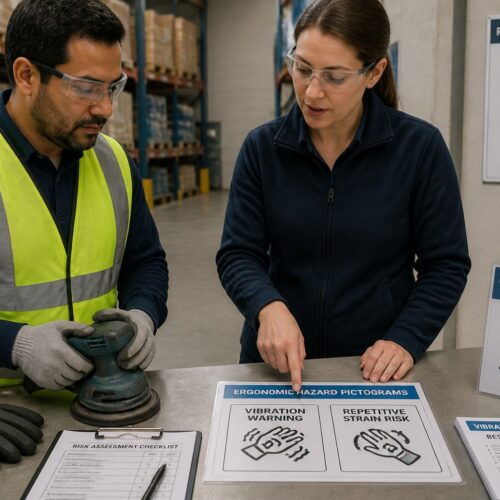
Walk through any modern plant and you will see the same problem repeated, powerful machines and humans working close together. Machine Guarding Pictograms keep that relationship from turning ugly by putting hazard and instruction cues where operators actually look.
I have seen beautifully written operating instructions sit in a binder while a new hire learns a press brake by watching someone else. A clear pictogram on the guard or control panel cuts through language barriers and bad habits fast.
These symbols are part of a bigger family of machine safety symbols used across manufacturing, logistics, and maintenance. When you apply them consistently, equipment hazard pictograms become a shared visual language instead of random stickers.
This article focuses on how Machine Guarding Pictograms support safe operation, where the common symbols show up, and how to place them so they get respected. You will also see how operating instructions work better when the pictograms match the real risks on the machine.
Why machine guarding pictograms are essential
Machine Guarding Pictograms are essential because they warn people at the exact point of exposure, not ten pages into a manual. A label on the guard near a moving belt reaches an operator in the moment a mistake is likely.
They also reduce ambiguity when crews speak different languages or when literacy varies across shifts. A hand-and-roller pinch symbol communicates faster than a paragraph of operating instructions.
Good pictograms push behavior in a practical way, like reminding a technician to lock out before removing a guard. If you rely on memory alone, people will eventually take shortcuts when production pressure rises.
I prefer pictograms that pair a hazard icon with a clear action icon, because the combo removes excuses. When machine safety symbols only say “danger” without showing the safe step, operators fill in the blanks with whatever they have done before.
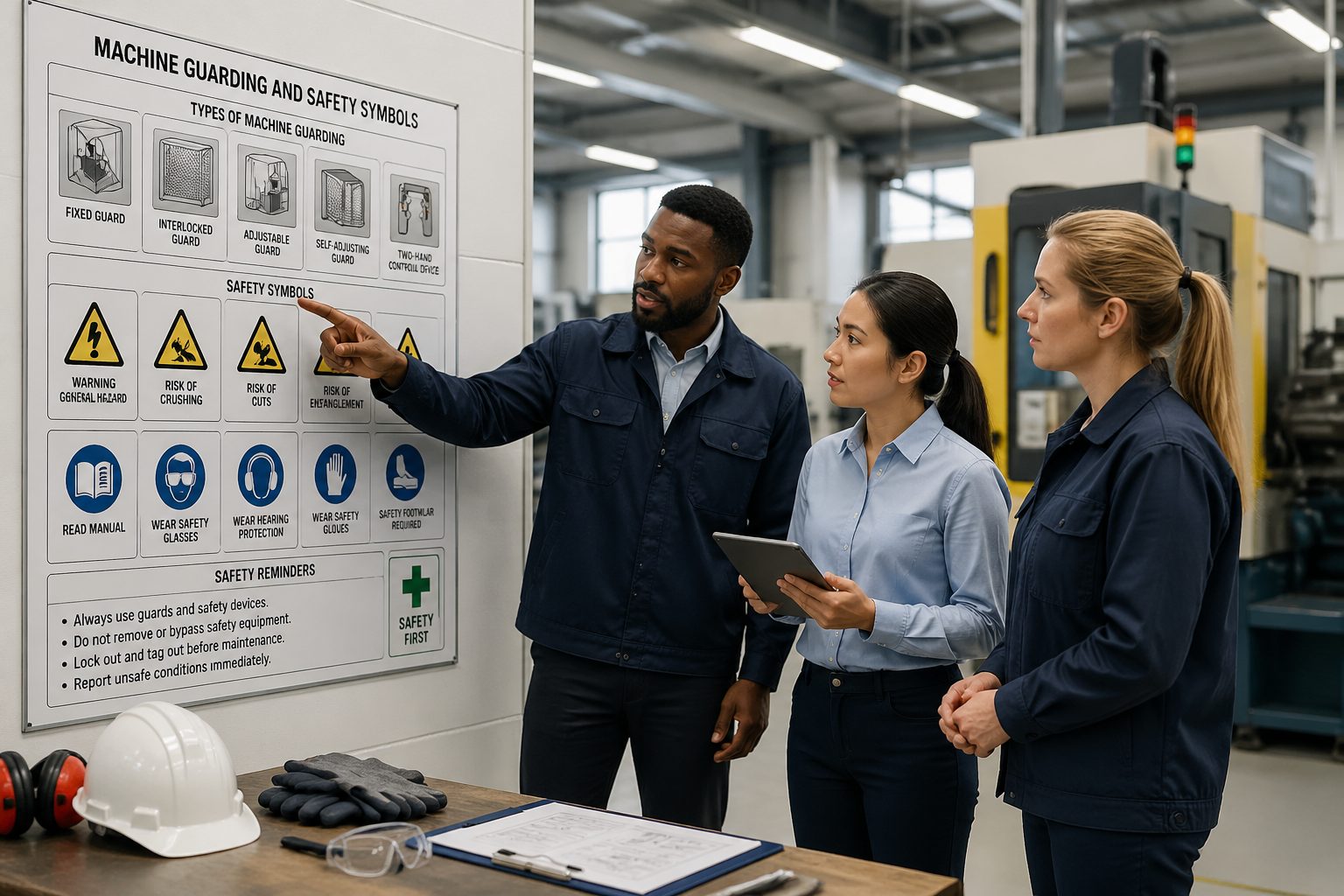
Consistency matters because workers move between machines, lines, and buildings. If your equipment hazard pictograms change style and meaning from one asset to the next, you train people to ignore the whole system.
Pictograms also help supervisors coach in real time without turning every correction into a debate. When the symbol is right there on the guard, the conversation shifts from opinions to expectations.
They are especially useful in loud areas where verbal warnings get lost under blowers, compressors, and conveyors. A symbol does not need a quiet moment to be understood, it just needs to be seen.
Another reason they matter is that humans normalize risk faster than they admit. The same jam cleared safely a hundred times becomes the one jam cleared with a shortcut, and a pictogram is a small but steady brake on that drift.
From an incident investigation standpoint, pictograms also document what you intended people to do at the hazard. That does not replace training, but it strengthens the overall safety system when you can show clear communication at the point of use.
They also support contractors and visitors who do not know your local rules. A maintenance vendor can recognize a standard lockout symbol even if they have never seen your internal procedure format.
Finally, pictograms are a reality check for engineering and operations because they force you to name the hazard in plain sight. If you feel uncomfortable labeling a pinch point, that is usually a sign the guarding design needs another look.
Common machine guarding pictograms explained
Most machine guarding symbols fall into a few buckets, general warning, mandatory action, prohibited action, and safe condition. The best programs use the same visual rules across all equipment so a worker can predict meaning at a glance.
General warning icons usually show a hazard in a triangle, like entanglement, crushing, or electrical shock. Mandatory action symbols often appear as a circle that tells you what to do, like wear eye protection or disconnect power.
Prohibition pictograms are the ones people remember because they are blunt, like “do not reach in” or “do not bypass guard.” They work well near interlocked doors, light curtains, and access panels where curiosity turns into risk.
Safe condition pictograms show what correct looks like, such as a guard closed or a lockout device applied. I like these near setup points because they reinforce the idea that safe operation is a visible state, not a private decision.
When you map these categories to your operating instructions, you get fewer mismatches between what the label says and what the procedure requires. That alignment is where machine safety symbols stop being decoration and start shaping behavior.
Entanglement pictograms deserve special attention because they cover more than just hair and loose clothing. They also apply to gloves, rags, and even air hoses that can get pulled into rotating shafts.
Crush and shear symbols can look similar on a crowded panel, so it helps to standardize the versions you use. If you mix styles from different suppliers, the same hazard can end up looking like two different messages.
Electrical hazard pictograms should be placed with discipline so they do not become generic “scary triangle” noise. If every panel gets a shock symbol regardless of exposure, operators stop treating the real ones as meaningful.
Mandatory PPE symbols are useful, but only when they match the task and the machine. A face shield icon on a machine that never throws chips teaches people that symbols are optional suggestions.
Prohibition symbols also work well for behavior that seems harmless, like using compressed air to clean clothing. A clear “do not blow off” icon near an air station prevents bad habits from spreading.
Safe condition symbols can be a quiet way to reinforce interlock logic, like showing “guard closed” before “start.” When operators understand the expected state, they troubleshoot faults without trying to defeat the safety device.
It also helps to remember that pictograms are not just for hazards, they are for boundaries. A symbol that marks a restricted zone or a safe standing position can reduce close calls during automatic cycles.
If you use text with your pictograms, keep it short and consistent across machines. A few words like “LOCK OUT” or “KEEP HANDS CLEAR” can support the icon without turning the label into a tiny poster.
Pictograms for pinch points
Pinch points injure people in boring, repeatable ways, and that is why they deserve blunt visuals. Machine Guarding Pictograms for pinch hazards should sit right at the nip, not on a distant frame member.
You see pinch hazards on conveyors, chain drives, rollers, and automatic doors, especially where material feeds in. If a worker has to lean in to clear a jam, the pictogram should be in their line of sight when their hands move forward.
Pinch point labeling is not just about the main hazard, it is also about the secondary ones created by normal adjustments. A tensioning screw, tracking knob, or guide rail can put fingers close to moving parts during fine tuning.
On conveyors, the in-running nip is often hidden behind a guard that looks solid from a distance. A pictogram placed on the guard tells the operator what is behind it and why it should stay in place.
For roller beds and transfers, the hazard zone can extend farther than people assume because product movement pulls hands along. Repeating the symbol along the length of the hazard helps when workers approach from different sides.
Pinch hazards also show up during cleaning when people use rags near rotating rollers. A clear symbol near the cleaning access point can stop the common mistake of wiping a roller while it is still moving.
Another common pinch scenario is the “just hold it” moment when a part shifts during a cycle. A pictogram near the fixture or clamp reminds people that the machine does not care where their fingers are.
Placement should account for the way the machine is approached, not the way it looks in a CAD model. If operators stand to the left during jams, the label should be readable from the left without leaning in.
Durability matters at pinch point locations because guards get wiped down and bumped by carts. If the label peels after a month, the hazard does not go away, it just gets quieter.
When you can, pair the pinch pictogram with a safe action symbol like “stop before clearing” or “lock out before removing guard.” The hazard icon alone can become background, but the action cue creates a decision point.
| Pinch point location | Common pictogram meaning | Placement tip |
|---|---|---|
| Conveyor head pulley | Hands can be drawn into rollers | Mount on guard near the in-running nip |
| Chain and sprocket drive | Crush or shear between moving parts | Place on removable cover and frame behind it |
| Powered roller bed transfer | Finger pinch between rollers and side rail | Repeat along the hazard zone at eye level |
| Automatic gate or door track | Body pinch between moving gate and fixed post | Post on both approach sides near controls |
| Feed rollers on a packaging machine | Hands pulled into rollers during threading | Combine with lockout and threading procedure icons |
Use the table as a starting point, but do not let it replace a real walkdown. Two conveyors that look identical can have different pinch exposures depending on guarding gaps, product size, and operator habits.
I also recommend labeling both the removable guard and the fixed frame behind it for high risk pinch points. That way the hazard message remains visible even when someone has the guard off for service.
When a pinch point is protected by an interlock, the pictogram should not imply that the interlock makes the hazard harmless. The symbol should still communicate that the hazard exists and that bypassing the guard is not an option.
If you have frequent jams, treat the jam point as a design problem first and a labeling problem second. A pictogram can warn, but it cannot compensate for a process that forces hands into the hazard zone all day.
Pictograms for cutting hazards
Cutting hazards look obvious until you watch someone change a blade in a hurry. Equipment hazard pictograms for cutting need to warn about both the cutting edge and the motion that brings hands into contact.
Common sources include guillotine cutters, slitters, circular saws, die cutters, and rotary knives on film lines. The pictogram should reflect the real hazard, so a generic “sharp” icon is not enough when the blade cycles automatically.
Place the symbol where hands naturally go during setup, such as near blade access doors, tool change points, and scrap removal chutes. If you hide the label behind the guard, you miss the moment when the operator decides to open it.
I also like pairing a cutting pictogram with a mandatory glove or cut resistant sleeve symbol only when PPE is truly part of the risk control plan. If gloves create entanglement risk on that machine, the pictogram set must reflect that tradeoff instead of copying a generic template.
For machines with stored energy, like flywheels or pneumatic actuators, add a warning that the blade can move after power off. That single detail often separates safe maintenance from a nasty surprise during cleaning.
Cutting hazards also show up in places people forget, like trim scrap that leaves a razor edge. A small symbol near the scrap bin or discharge chute can prevent the casual grab that turns into stitches.
On slitters and rewinders, the blade may be small but the web tension can pull fingers into the cut zone. A pictogram that shows both the blade and the pulling motion better matches the real injury mechanism.
For saws and rotating cutters, the hazard is often not just contact with the blade but kickback and thrown material. If the machine has a known ejection path, place the warning where people stand during feeding and unloading.
Tool change points deserve their own labels because that is where guards are open and attention is split. A pictogram that emphasizes “sharp edge” plus “lock out” is more effective than either message alone.
Cleaning is another high risk moment because people treat it as low skill work and rush to get back to production. A clear “wait for complete stop” symbol near the blade area helps prevent the wipe-while-coasting habit.
If a blade is indexed or moves to a service position, label the service position control as well. Operators should not have to guess whether the blade is parked safely or just out of sight.
When you use multiple labels around a cutting zone, keep the messages focused so they do not compete. One label can warn about the blade, while another can show the correct lockout step, but both should be readable without clutter.
It also helps to place cutting hazard pictograms on the inside of access doors when there is a risk of reaching in after opening. That inside label becomes the last reminder before hands cross the boundary.
If your facility uses blade disposal containers, label them with a cutting hazard pictogram too. People get cut as often during disposal as they do during operation, especially when blades are tossed into open trash.
Pictograms for safe operating procedures
Safe procedure pictograms are where operating instructions become usable on the shop floor. They work best when they show a short sequence, like isolate energy, verify zero energy, then remove guard.
Lockout and tagout symbols should appear at the energy isolation point, not only on the machine body. If the disconnect is across the aisle, the pictogram belongs on the disconnect handle and the machine access door.
Many plants forget to label the safe state for interlocks, light curtains, and two hand controls. A simple pictogram that shows hands on both buttons or a person outside the light curtain boundary reduces arguments during audits.
Procedure pictograms also help when you have temporary workers who have never seen the equipment before. I would rather see a clear “wait for complete stop” symbol than a supervisor hoping everyone understands coast down time.
When you write operating instructions, reference the pictograms by name and keep the wording consistent with the label. If the procedure says “isolate electrical power” but the label shows only a general warning triangle, you create confusion at the worst time.
Good procedure pictograms also clarify what is allowed during normal production versus what requires a full shutdown. A “do not remove guard while running” message is different from a “do not remove guard” message, and the symbols should match that nuance.
For clearing jams, a pictogram sequence can show stop, isolate, and use a tool instead of hands. That is a practical way to reinforce the idea that tools are part of the safe method, not a workaround.
Setup and changeover steps are another place where pictograms shine because the work is repetitive and time pressured. A small set of icons near the setup station can remind people to use inching mode, reduced speed, or hold-to-run controls when required.
If your machine has multiple energy sources, the pictograms should reflect that reality. A single lockout symbol is not enough when the hazard includes electrical, pneumatic, hydraulic, and gravity energy at the same time.
Verification deserves its own icon because many incidents happen after lockout is applied but before zero energy is confirmed. A pictogram that shows “try start” or “test for motion” helps make that step visible and expected.
Procedure pictograms can also support safe lifting and handling during maintenance, like showing a hoist point or a two person lift. That matters when guards are heavy and awkward, which is exactly when people are tempted to rush.
For machines with automatic restart risk, a pictogram that warns about unexpected start is worth placing near resets and fault acknowledgments. Operators often focus on clearing the alarm and forget that motion can resume immediately.
When you use a sequence, keep it short enough to read in a glance. If it takes more than a few seconds to decode, it stops being a shop floor tool and becomes another poster people walk past.
I also recommend testing procedure pictograms with the newest person on the crew. If they interpret the icons differently than you intended, you just found a weakness before it turns into a near miss.
Finally, train to the pictograms the same way you train to the controls. When people hear the same terms you use on the labels, the symbols become part of the daily routine instead of a separate safety layer.
Where to use machine guarding pictograms effectively
Put Machine Guarding Pictograms where decisions happen, at access points, control stations, and common jam clearing locations. A sticker on the back of the machine might satisfy a checklist, but it will not change behavior.
Guards and doors deserve special attention because they are touched constantly and they get replaced after damage. If you do not include pictograms on replacement guard kits, your machine safety symbols disappear over time.
Control panels are another smart location because operators stare at them during starts, stops, and faults. A small set of equipment hazard pictograms near the start button can reinforce the idea that guarding must be in place before motion begins.
Do not ignore maintenance access points like lubrication ports, belt tensioners, and filter housings. Those tasks happen during production in many facilities, and a well placed pictogram can stop a technician from reaching into a moving zone.
Finally, walk the line during a normal shift and watch where people stand and where they place tools. If the pictograms are not visible from those real positions, you have labels, but you do not have communication.
Start with the highest frequency interactions because that is where small errors multiply. If a guard is opened fifty times a shift, it deserves clearer labeling than a panel that is opened once a year.
Place labels so they are readable before the action happens, not after. A warning that is only visible once the door is already open is late, even if it is technically correct.
Think about approach direction and lighting, because glare and shadows can make a good label useless. If the machine sits under bright LEDs, choose placement and materials that stay legible from common angles.
Height matters more than people think, especially on large equipment. A pictogram placed too low ends up covered by pallets and scrap, while one placed too high is outside the normal scanning zone.
Use repeat labels when the hazard zone is long or when access is possible from multiple sides. One label on a ten meter conveyor is a token gesture, not a communication plan.
Do not place pictograms where they will be constantly scraped by product or packaging. If the label is in the wear path, you are signing up for a permanent maintenance task that will eventually be skipped.
When you have a viewing window or a clear guard, place the pictogram on the frame so it does not block visibility. Operators should be able to see the process while still being reminded that the hazard is real.
For mobile equipment and temporary setups, consider using placards or magnetic labels where appropriate. The key is to keep the message attached to the hazard even when the layout changes.
Include pictograms on fixtures, jigs, and quick change tooling when those items create their own hazards. A safe machine can become unsafe when a tool introduces a new pinch or cut zone.
Make label inspection part of routine checks, the same way you check guard condition and fasteners. If you wait for an audit to notice missing pictograms, you are treating communication as optional.
Also pay attention to label overload on some machines and label starvation on others. A wall of icons can drown out the critical ones, while a bare hazard zone invites improvisation.
When a machine is modified, revisit the pictograms immediately instead of letting them lag behind the change. A relocated control station or new access door can make yesterday’s “perfect placement” irrelevant.
Conclusion
Machine Guarding Pictograms work when they are specific, visible, and consistent with the way the machine is actually used. When they are vague or poorly placed, they blend into the grime and become part of the background.
Use machine safety symbols to mark pinch points, cutting zones, and the safe steps that keep guards and energy controls doing their job. If your operating instructions and equipment hazard pictograms tell the same story, operators stop guessing and start following the visual cues.
Audit your current labels the same way you would audit a guard, check condition, check placement, and check whether the message matches the hazard. A few hours of honest review usually beats buying another roll of generic warning stickers.
When you treat pictograms as part of the machine design, not an afterthought, you get fewer close calls and fewer arguments about what someone “should have known.” That is the kind of safety improvement that holds up on a busy Monday morning.
Keep the program alive by updating pictograms when processes change, not only when incidents happen. A label set that evolves with the equipment stays credible, and credibility is what makes people actually look.
If you want a simple test, ask an operator to explain what each symbol means without prompting. The gaps you hear in that quick conversation are the same gaps that show up during a rushed jam or a late night repair.
In the end, pictograms are not a substitute for guarding, training, or supervision, but they are a powerful connector between them. When the visual cues match the real hazards and the real procedures, safe behavior becomes the default instead of the exception.