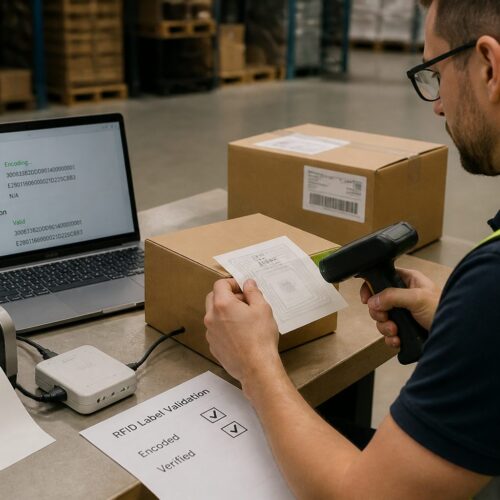
Walk a busy warehouse floor for ten minutes and you will see why symbols matter more than most managers admit. When pallet jacks are moving, scanners are chirping, and temps are racing the clock, nobody has time to read a paragraph on a label.
Pictogram labeling standards for warehouses turn those split second decisions into repeatable habits. The goal is simple, make the right action obvious even when the worker is new, tired, or working in a second language.
I have watched good teams make dumb mistakes because the signs were inconsistent, homegrown, or buried under text. A clean set of warehouse signage pictograms fixes more than aesthetics, it fixes handoffs.
This guide focuses on practical setup, choosing standardized icons, naming them, placing them, and getting them used. You can apply the same approach whether you run a 20,000 square foot regional DC or a multi site 3PL operation.
The point is not to plaster icons everywhere and call it lean. The point is to remove interpretation from routine moves so the floor runs the same at 2 p.m. and 2 a.m.
Most warehouses already have symbols, but they are usually a mix of vendor labels, safety posters, and old internal signs that never got retired. Standardization is the work of turning that mix into one language.
When you do it well, the floor gets quieter in a good way because fewer people have to ask for confirmation. That is what you want, fewer interruptions and fewer improvisations.
When you do it poorly, you create a second layer of confusion that competes with the WMS and with tribal knowledge. That is why this needs a little structure and a little discipline.
Why standardized pictograms reduce errors on the floor
Errors on the floor usually come from small mismatches between what the system expects and what a person sees. A bin label that says one thing, a handheld screen that says another, and a sign that uses a third term is how mispicks start.
Standardized icons cut through that mismatch because they stay stable across devices and distances. If the same fragile symbol appears on the ASN, the receiving lane sign, and the rack label, the worker does not need to translate.
Text fails in noisy environments, and it fails when people are rushed. Visual communication works because the brain can recognize a shape and color faster than it can parse a sentence.
Consistency also makes audits easier, since supervisors can spot wrong placements or missing controls at a glance. When you use pictogram labeling standards for warehouses, you build a floor that is easier to manage on a bad day.
Standardized pictograms also reduce the amount of coaching that has to happen in the aisle. Instead of explaining a rule from scratch, a lead can point to a symbol and reinforce one shared meaning.
That matters because most errors are not caused by people trying to do the wrong thing. They are caused by people trying to do the right thing with incomplete or conflicting cues.
Icons help with speed, but they also help with confidence, which is a hidden driver of accuracy. A picker who is unsure will either stop the flow or guess, and both outcomes cost you.
When you standardize, you also reduce the number of one off exceptions that live only in someone’s head. The floor becomes less dependent on a few veterans who have memorized every weird corner case.
Standardization is especially valuable in shared spaces like staging and replenishment lanes where multiple teams touch the same inventory. If everyone reads the same symbols, the handoff is cleaner and the blame game shrinks.
It also helps when you bring in new equipment or change slotting, because the visual language can stay constant while the physical layout shifts. That stability reduces the learning curve during transitions.
In safety terms, pictograms reduce the time between hazard recognition and action. If a worker can see “eye protection required” instantly, you get compliance without a supervisor hovering.
In quality terms, pictograms reduce the chance that a product handling rule gets skipped because it was buried in a work instruction binder. The rule is right where the hands are.
Picking a pictogram set that works across teams and shifts
A pictogram set has to survive real use, not just look nice in a slide deck. That means it must read clearly at 10 to 20 feet, print well on thermal labels, and still make sense under sodium lights.
Start by listing the decisions a worker makes in each zone, receiving, putaway, replenishment, picking, packing, and shipping. Then pick warehouse signage pictograms that map to those decisions, not to abstract departments.
I prefer sets that follow familiar safety conventions, like ISO style warning triangles and prohibition circles, because most people already know the visual grammar. If you invent your own shapes, you will spend months training what the sign should have told them.
Test candidates with the night shift and with temps, because they will expose the weak spots quickly. If three people interpret the same standardized icon three different ways, that icon is not standardized in your building.
Do not assume your office team can judge legibility, because they are not the ones reading signs while walking and scanning. The right test is a quick floor trial where people call out meaning while moving.
Make sure the set covers both operational cues and safety cues, because the floor does not separate them in real time. A “do not stack” symbol is just as operational as it is quality related.
Look for pictograms that keep detail low and silhouette high, because detail disappears at distance. A forklift icon with tiny wheels and shading looks clever on screen and turns into a blob on plastic.
Think about the full range of workers, including those with limited literacy, limited English, or limited familiarity with your product. A good icon is not a riddle that requires context to solve.
Also consider the difference between “warning” and “instruction,” because mixing them makes people numb. If everything looks like a warning, nothing feels urgent.
Try to limit the core set to what you can actually maintain, because every symbol is a promise to train and enforce. If you cannot explain an icon in ten seconds, it is probably too fancy.
Finally, check that your chosen set can be licensed and reproduced without drama, especially if you use outside print vendors. The last thing you need is a legal fight over an icon that is now on every rack upright.
Building a warehouse pictogram library (names, files, and rules)
A warehouse pictogram library is where good intentions either become a system or become chaos. If people pull random PNGs from email threads, your visual communication breaks within a quarter.
Store the master set in one controlled location, then publish approved exports for label printers, signage vendors, and WMS screen designers. The library needs naming rules, file rules, and a short governance rule that says who can add or change symbols.
The library should be treated like any other operational master data, because it drives behavior at scale. If you would not let someone freehand item master fields, do not let them freehand your icons.
Give each icon a definition that is written in plain language, not in policy language. The definition should say what action the worker should take when they see it.
Add a short “do not use for” note for icons that are easy to misuse. That one line prevents the common problem where a symbol becomes a catch all for anything vaguely similar.
Include examples of correct placement, because a symbol without placement guidance becomes inconsistent by default. A photo of a good rack sign beats a page of instructions.
Build the library so it supports both big signs and small labels, since many warehouses need both. If an icon only works at poster size, it is not a warehouse icon.
Decide early whether you will support one color version and one monochrome version, because printers and substrates vary. A monochrome option is essential for thermal labels and low cost reprints.
Make the library easy to access but hard to change, because people will take shortcuts under pressure. A shared folder with view rights for many and edit rights for few is usually enough.
When you update an icon, treat it like a controlled change with a reason and an effective date. If you do not, old versions will linger on reprints and you will lose the benefit of standardization.
| Library element | Recommended standard | Why it matters on the floor |
|---|---|---|
| File formats | SVG master, PDF for vendors, PNG for WMS | Keeps edges sharp on signs and avoids blurry reexports |
| Icon naming | verbobjectcondition, like liftforkonly | Makes search predictable and reduces duplicate icons |
| Version control | v1, v1.1, v2 with change log | Prevents old labels from reappearing during reprints |
| Usage rules | minimum size, clear space, approved colors | Stops tiny icons and off brand colors that confuse workers |
| Ownership | one process owner, one backup | Keeps approvals fast and avoids sign by committee |
The naming convention is not about being clever, it is about being searchable when someone is under time pressure. If a supervisor can type “stack” and find the right icon in five seconds, they will use the library.
File rules matter because vendors will re export whatever you give them, and every re export degrades quality. A clean master file prevents the slow drift into fuzzy, inconsistent signage.
Governance should be light but real, with a simple request path for new symbols. If the process is too heavy, people will go back to tape and Sharpie.
Keep a retired folder for old icons so you can recognize them during audits. Retiring is part of standardization, because old symbols are still a form of communication.
Label locations that matter: racks, bins, aisles, and staging
Placement beats perfection, because a perfect icon in the wrong spot still fails. The best warehouse signage pictograms sit where the decision happens, not where there is empty wall space.
On racks, put handling and hazard pictograms at eye level on the upright, not on the beam where product blocks them. If you have selective racking, repeat the symbol every bay so a picker does not need to walk back to confirm.
On bins and totes, keep the pictogram near the scannable ID so the worker sees both in one glance. A fragile or orientation icon that sits three inches away from the barcode gets ignored, because the scanner motion pulls the eyes elsewhere.
In staging, use larger icons with fewer messages, since the zone already has traffic and competing signs. I like one clear symbol per sign panel, then use text only for the location code or door number.
In receiving, the most valuable pictograms are the ones that prevent bad product from entering good flow. Put “inspect,” “count required,” and “hazmat” cues at the lane entrance and on the first touch surface.
In putaway, focus on symbols that affect how the pallet is handled, like clamp truck only, do not double stack, or keep upright. Those decisions happen while the driver is already moving, so the sign must be visible from the equipment path.
In replenishment, use icons to separate reserve from pick faces and to highlight min max triggers where you still rely on visual checks. A small replenishment cue at the face can prevent a lot of empty slot firefighting.
In picking aisles, avoid clutter and prioritize what prevents mispicks, like zone boundaries, temperature zones, and look alike product warnings. If the aisle is already dense with location labels, the pictogram must be simple and consistent.
In packing, icons can reduce damage claims by reinforcing carton selection and dunnage rules. A clear “void fill required” symbol on the pack station is easier than hoping someone remembers a training slide.
In shipping, use pictograms to separate carrier lanes, international documentation, and hold areas. A simple “do not load” icon at a hold lane prevents the worst kind of error, which is a wrong truck departure.
Do not forget vertical placement, because signs placed too high become background and signs placed too low get hit. The right height is where eyes naturally land during the task, not where the sign fits.
Also consider the approach angle, because many signs are seen while turning into an aisle or backing out of a bay. If the icon is only readable head on, it will be missed in motion.
Color and shape conventions you can apply consistently
Color is a tool, but it becomes noise when every team picks its own scheme. Set a small palette and lock it, because pictogram labeling standards for warehouses only work when the same meaning repeats everywhere.
Use red for prohibitions like no smoking or no pedestrians, and reserve yellow for warnings like pinch point or low clearance. Use blue for mandatory actions like wear eye protection or use cut gloves, and keep green for safe condition cues like first aid or emergency exit.
Shape matters as much as color, especially for color blind workers and low light areas. Circles read as instructions, triangles read as warnings, and rectangles work well for informational standardized icons like battery charging or returns processing.
Keep contrast high and backgrounds plain, since busy patterns kill legibility at distance. If you print on colored stock, test it in the aisle, because what looks fine at a desk looks muddy under warehouse lighting.
Decide whether you will use filled icons or outline icons, then stick with it. Mixing styles makes the wall look like a collage and makes workers wonder if different styles mean different urgency.
Pay attention to line weight, because thin lines disappear on thermal prints and on worn laminates. A slightly heavier stroke usually survives dirt and scuffs better.
Limit the number of colors used inside a single icon, because multi color printing is not always available at the point of use. A symbol that depends on three colors will fail when it is printed in black and white.
Use consistent arrow conventions for direction, flow, and orientation, because arrows are easy to misread when they change style. If you use a curved arrow for “rotate,” do not use the same arrow for “return flow.”
Make sure the “negative space” is intentional, because clutter inside the icon is just as bad as clutter around it. The best pictograms look almost too simple until you see them from 20 feet away.
Consider reflective materials for critical safety icons in low light zones, but keep the design identical. Reflectivity should improve visibility, not introduce a new look that feels like a different standard.
Finally, document the palette with actual print references, not just screen colors. A red that looks right on a monitor can print as brown on certain substrates, and that changes meaning fast.
Training and rollout: getting everyone to use the same symbols
Rollout fails when it is treated as a poster campaign instead of a behavior change. People follow what the WMS, the supervisor, and the labels reinforce every day, not what a one time toolbox talk says.
Build a short symbol map that shows each pictogram, its meaning, and one example of correct use in your building. Then bake that map into onboarding, refresher training, and temp agency packets so visual communication stays consistent across turnover.
Start the rollout in one or two zones where you can control variables and measure impact. A pilot in receiving and staging usually reveals issues quickly because those areas touch everything.
During the pilot, ask workers to explain what they think each icon means before you tell them. Their first interpretation is the truth you need, not the interpretation you wish they had.
Use the same icon names in training that you use in the library and in the WMS, because language drift starts early. If trainers call it “keep upright” and the library calls it “this side up,” you have already split the standard.
Give supervisors a short script for coaching, because consistency in correction matters. If one lead enforces an icon and another shrugs, the floor will follow the shrug.
Make training physical, not just verbal, by walking to the actual sign locations and pointing them out. People remember where they saw a symbol, not where they heard about it.
Include a few quick recognition checks during onboarding, like showing five icons and asking for meanings. It is not about testing people, it is about confirming the system is clear.
When you use temps, give them a one page map with only the icons they will see in their assigned zone. Overloading a temp with the full library is the fastest way to make them ignore all of it.
- Post a one page pictogram map at time clocks and break rooms
- Add pictogram meaning to standard work sheets for each zone
- Include symbol recognition in new hire floor walk checklists
- Require supervisors to use the same icon names in coaching
- Audit weekly for missing, damaged, or outdated labels
- Reprint labels from the library only, never from screenshots
After the first month, do a quick feedback loop and change only what is truly broken. Constant tweaking teaches the floor that the standard is optional and temporary.
Celebrate the boring wins, like fewer questions at the pack station or fewer wrong pallets in a lane. Those are signs that the symbols are doing their job quietly.
Keep the rollout aligned with safety and quality teams so you do not end up with competing signage programs. One building should have one visual language, even if multiple departments contribute.
Finally, make it easy to report a confusing icon with a simple channel like a QR code or a shared form. If the only way to raise an issue is a meeting, the floor will stop raising issues.
Why standardized icons must match your WMS and paperwork
A warehouse has more than wall signs, it has screens, pick tickets, BOL packets, and carrier labels. If your standardized icons live only on physical signage, the worker still has to translate between systems.
Match your WMS terminology to the icon names in the library, even if it means cleaning up old abbreviations. When the handheld says “hazmat segregate” and the pallet label shows the same hazmat pictogram, the instruction becomes hard to misread.
Pay special attention to exception flows like damages, shorts, and QA holds, because that is where people improvise. A clear hold icon on a cage sign, on the tote label, and on the WMS task screen keeps product from leaking back into pick faces.
If you ship globally, keep the icons consistent even when documents change language for different customers. Visual communication is where you can keep one standard while the text shifts for compliance or customer preference.
Look at every place a worker receives instruction, including RF prompts, voice picking phrases, and printed exception labels. If the instruction appears in multiple places, the icon should follow it like a tag.
Do not forget the paperwork that rides with freight, because that is often where carriers and customers interact with your process. A standardized “keep frozen” or “do not stack” icon on documents reduces damage outside your building too.
Align icon use with your label data fields so the right symbol prints automatically based on item attributes. If icons require manual selection each time, they will be skipped when volume spikes.
When you change a process name in the WMS, update the icon name mapping at the same time. Otherwise you create a slow split where the floor uses one term and the system uses another.
For compliance driven areas like hazmat, food contact, or medical devices, make sure your icons do not contradict regulated markings. Standardized icons should support compliance, not create a parallel unofficial label system.
Also check your customer specific packing slips and carton labels, because many warehouses run mixed rules by account. The icon set can stay the same, but the triggers for printing them must be controlled.
When the WMS and paperwork match the wall signs, you reduce the need for memory. That is the real win, because memory is the first thing to fail when the building is busy.
Printing, materials, and durability for real warehouse conditions
Pictograms fail when they fade, peel, or smear, and warehouses are brutal on labels. Fork traffic, stretch wrap friction, freezer condensation, and dust all punish cheap materials.
For rack and aisle signs, use rigid substrates like PVC or aluminum composite with a matte laminate that resists glare. For bins and totes, use thermal transfer labels with resin ribbons when abrasion is common, and test with your cleaning chemicals.
Size the icon for the viewing distance, then size the text for the rare cases when someone needs confirmation. If you make the icon tiny to fit more words, you lose the point of warehouse signage pictograms.
Plan for reprints by keeping templates tied to the library exports and by tracking where each sign type is used. When a symbol changes, you should know which aisles and which label SKUs need updates within a week.
Choose adhesives based on surface and temperature, because a label that sticks to a tote may fail on painted steel. If you do not test adhesion, you end up with labels curling at the corners within days.
In freezer and cooler environments, condensation and frost will destroy the wrong stock fast. Use materials rated for low temperatures and apply them with proper surface prep, not on wet or icy surfaces.
In dusty environments, glossy laminates can become unreadable once they pick up grime. A matte finish often stays legible longer because it does not reflect overhead lights and it hides minor scratches.
If you use floor decals for pedestrian lanes or equipment paths, treat them as consumables with a replacement schedule. Floor graphics get chewed up, and a half missing arrow is worse than no arrow.
For mobile assets like carts and cages, use tougher labels or small rigid plates with rivets or bolts. A great icon on a cart does nothing if it disappears during the first washdown.
Standardize sign sizes where possible so replacements are easy and inventory is simple. If every aisle sign is a different dimension, you will delay reprints because nothing is plug and play.
Keep a small stock of critical signs and labels for fast replacement, especially for safety and hazard cues. Waiting two weeks for a vendor reprint is how standards decay.
Finally, take photos of new signage after installation and store them with the templates. That gives you a reference for what “good” looked like before the floor slowly drifted.
Common failure modes and how to fix them fast
The most common failure is symbol overload, where a label carries five icons and nobody sees any of them. Pick the one or two decisions that matter at that location, then move the rest to a process sheet or a larger zone sign.
The next failure is mixed meaning, where one team uses an icon for “returns” and another uses it for “damages.” Lock definitions in the library and make supervisors correct language in the moment, because drift spreads quickly.
A third failure is mismatch between hazard symbols and actual controls, like a battery charging icon posted where no chargers exist anymore. Run a monthly walk with maintenance and safety together, because they catch different kinds of wrong.
Finally, watch for homemade signs taped to posts, since those usually signal a process gap. Replace them with approved standardized icons, then fix the root cause so the tape does not come back next week.
Another failure mode is using icons as decoration, where they are placed but not tied to any action. If there is no expected behavior, the icon becomes wallpaper and workers learn to ignore it.
Watch for icons that are technically correct but placed where they are never seen, like behind a dock door curtain or on the wrong side of a post. Fixing placement is often faster than redesigning anything.
Be careful with icons that look similar at a glance, like “returns,” “rework,” and “QA hold” if they share the same box shape. If two symbols can be confused in motion, they will be confused in motion.
Do not ignore language drift in spoken coaching, because it eventually becomes process drift. If the floor starts calling an icon by a different name, update training or update the library, but do not let both names live.
Damaged signs are a hidden failure because people stop trusting what they see. If a symbol is scratched or half peeled, workers assume the rest of the signage program is equally neglected.
When you fix issues, fix them with the library and with templates, not with one off patches. A fast fix that bypasses the standard is how you rebuild the mess you were trying to remove.
Also watch for “too clever” icons that require cultural knowledge, like metaphors that do not translate. Warehouses are diverse, and a symbol should not depend on inside jokes.
If you need to retire an icon, remove it everywhere quickly instead of letting it fade out slowly. A half retired symbol is still a symbol, and people will keep following it.
Audits and continuous improvement without turning it into bureaucracy
You need audits, but you do not need a 40 page checklist that nobody finishes. A good audit for pictogram labeling standards for warehouses focuses on visibility, correctness, and condition.
Visibility means the sign is not blocked by pallets, shrink wrap, or seasonal overflow. Correctness means the icon matches the current process, and condition means it is readable, not cracked, faded, or covered in dust.
Keep the audit cadence realistic, weekly for high change zones like staging and returns, monthly for stable rack aisles. Track findings like you track safety near misses, with an owner, a due date, and a quick photo.
When you change a process, update the icon placement as part of the change ticket, not as an afterthought. Visual communication is part of the work, so treat it like equipment setup, not decoration.
Make audits quick by defining a standard route, like a loop through receiving, staging, and two representative aisles. A consistent route helps you compare week to week without chasing every corner of the building.
Use a simple scoring method, like green for good, yellow for needs attention, and red for replace now. The goal is to trigger action, not to generate a report that sits in a folder.
When you find an issue, decide whether it is a maintenance issue or a standard issue. If the icon is fine but people still misunderstand it, the problem is your symbol choice or your training.
Invite operators into improvement, because they see problems before managers do. A five minute conversation in the aisle often reveals that a sign is blocked during peak staging, even if it looks fine during a quiet walk.
Keep a small backlog of signage improvements and prioritize by risk, not by aesthetics. A faded “no pedestrians” sign near a forklift crossing is more urgent than a slightly off brand informational label.
Audit the library too, not just the floor, because the library is where drift begins. If you see duplicate icons or inconsistent names, fix that before it leaks into new prints.
When you add a new icon, require a placement plan and a training note as part of the request. That keeps the library from becoming a junk drawer of rarely used symbols.
Continuous improvement should feel like keeping the floor sharp, not like adding paperwork. If the audit takes longer than the action, the audit is too heavy.
Conclusion
Warehouses run on repeatable decisions, and symbols are one of the cheapest ways to make those decisions repeatable across people and shifts. When you commit to standardized icons, you cut the small misunderstandings that turn into claims, rework, and safety incidents.
The practical path is clear, choose a set that your teams can read fast, build a controlled library, and place warehouse signage pictograms where actions happen. If you keep the system maintained through training and light audits, pictogram labeling standards for warehouses stop being a project and become part of how the building works.
Do not wait for a perfect moment to start, because the floor will always be busy and the backlog will always be real. Start with the highest risk decisions and standardize those first.
Once the symbols are stable, you will notice a change in how people communicate, with fewer explanations and more pointing to shared cues. That is when you know the visual language is doing its job.
Standardized icons are not a replacement for good processes, but they are a force multiplier for them. When the process is clear and the symbols match it, the building becomes easier to run and easier to scale.