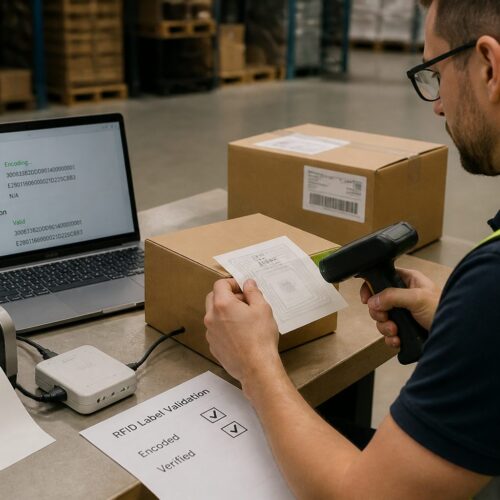
Receiving teams can spot a sloppy pallet label from across the dock, because the first scan fails and the questions start. A pallet labels standard format keeps that from happening by making every pallet readable in the same way, every time.
I have watched perfectly packed freight get parked in “problem” lanes for hours because the label layout changed without warning. The label was “technically correct,” but it was not predictable, and predictability is what makes receiving fast.
Standards matter most when the shipment crosses companies, systems, and countries, and that is basically all modern logistics. If your pallet ID label looks like a one off design project, you are asking the warehouse to translate it under pressure.
This article breaks down what to include, how to format it, and where to place it so scanners and people agree on what they see. You will also get practical checks you can run before the trailer door closes.
What a standard pallet label is meant to do
A standard pallet label is a compact contract between shipper, carrier, and receiver. It states what the pallet is, how it relates to the order, and how systems should identify it without a phone call.
The main job is scan reliability, because receiving lines move at the pace of successful scans. When the barcode reads cleanly, the warehouse management system can confirm the pallet in seconds and route it to the right zone.
The second job is human readability when something goes wrong, like a torn corner or a smudged printhead. A good logistics label layout puts the same fields in the same places so a lead can verify the pallet quickly.
The third job is traceability across handoffs, especially when pallets get broken down or consolidated at a 3PL. If the pallet labels standard format includes a stable ID and a stable barcode, the pallet stays trackable even when the paperwork gets separated.
It is also meant to reduce decision making at the dock, because the receiver should not have to guess what to scan first. The label should make the right action obvious even to a new hire on a busy shift.
A standard label protects you from well meaning “fixes” that create inconsistency, like moving the PO because it looked nicer under a logo. The dock does not care about aesthetics, it cares about repeatable placement and repeatable meaning.
Another purpose is to support exception handling without rework, because exceptions will happen no matter how good the process is. When the pallet ID label is predictable, the receiver can quarantine the pallet and still keep it tied to the right transaction.
It also helps carriers and cross docks that need to confirm what they are touching without opening stretch wrap. A visible, consistent SSCC barcode is often the difference between a quick transfer and a manual count.
Standardization is what makes automation possible, from conveyor scanners to vision systems at high volume facilities. If every pallet comes in with a different layout, the facility has to treat your freight as a special case.
Finally, the label is meant to survive the trip and still be readable at the moment it matters. A label that scans in the shipping office but fails at the receiving door is not a working label, it is a false pass.
Core data fields: IDs, counts, dates, and locations
Start with the identifiers that receiving actually uses, not the ones your ERP happens to print by default. Most operations need a pallet ID label number, a purchase order reference, and a shipment or ASN reference that ties to the inbound appointment.
Quantities must be unambiguous, and that means stating the unit of measure in plain text near the count. “48” means nothing if the receiver cannot tell whether it is cases, inner packs, or eaches.
Dates belong on the label when shelf life matters or when FIFO rules are enforced at putaway. Use a clear label like “MFG” and “EXP” or “BEST BY,” and stick to an ISO style date format such as YYYY-MM-DD to avoid month and day swaps.
Location fields help when a shipment is part of a multi stop route or when the receiver has multiple facilities under one corporate account. Print both the ship from and ship to identifiers, and include a facility code if the customer uses one in their routing guides.
If you use an SSCC barcode, keep the human readable SSCC number on the label too. When a scanner fails, a receiver can key the digits and keep the line moving instead of opening the wrap to search for other clues.
Include a clear description field only when it adds value at the dock, such as a short product family name or a customer item group. Long marketing names waste space and push critical fields into smaller fonts.
If your program requires a vendor number, store number, or department number, print it as a labeled field and not as an unlabeled string. Receivers will not decode your internal numbering scheme while a line of trucks is waiting.
Lot and batch fields should be treated as first class data when the receiver uses them for quarantine, recall, or QA release. If you print lot numbers, keep the format consistent and avoid mixing letters that look like numbers under glare.
For regulated or high liability goods, you may need temperature range, handling notes, or hazard references, but keep them separate from the scan area. The pallet labels standard format works best when compliance notes do not compete with the barcode.
Think about what happens when a pallet gets separated from its paperwork, because that is a common real world scenario. The label should still tell the receiver enough to park it correctly and find the matching ASN without opening boxes.
When you ship international, include the country of origin or other trade fields only if your customer requires them at receiving. If those fields are needed, label them clearly so they do not get mistaken for ship from information.
Do not overload the pallet ID label with internal planning fields like wave number, pick path, or operator ID unless they are required for audit. Those fields are useful in your building, but they often confuse a receiver who is looking for PO and SSCC.
Finally, keep a consistent hierarchy, where one ID is the primary key and everything else supports it. If you treat three different numbers as equally important, the receiver will pick the wrong one and your exception queue will fill up.
Barcode basics: choosing symbology and print settings
Most pallet programs rely on GS1 logistics labels, and the SSCC barcode is the workhorse because it identifies the logistic unit, not the product. If your customers scan at pallet level, treat the SSCC as the primary barcode and keep it large and easy to hit.
Print settings matter more than people admit, because a perfect data string still fails if the bars bleed or the contrast is weak. Use thermal transfer when labels will face heat, sunlight, or abrasion, and match ribbon and label stock so the print stays dark.
Symbology choice is not just a technical preference, it is an agreement with the receiver’s scanning environment. A warehouse that invested in linear scanners expects linear codes to work through wrap glare and forklift vibration.
GS1-128 is common because it carries application identifiers in a standardized way, and it is widely supported in WMS and EDI workflows. If you are tempted to switch to a different barcode type, confirm the receiver’s hardware and software can decode it at speed.
Barcode size is where many labels quietly fail, especially when someone tries to fit extra text by shrinking the bars. If you reduce the X-dimension too far, the code becomes sensitive to minor print defects and wrap wrinkles.
Scanner distance matters because many docks scan from a few feet away to avoid stepping into traffic. If your code only scans when the gun is inches from the label, you are forcing unsafe behavior or slow handling.
Do not ignore the impact of glossy label stock, because reflections can create intermittent failures that are hard to reproduce in an office. Matte stocks often scan more consistently under bright dock lighting and plastic wrap glare.
Printer maintenance is part of barcode quality, even if it is not glamorous. A worn printhead or dirty platen roller can create repeating voids that show up as scan retries on every label.
Keep your encoding rules locked down, especially for SSCC generation, because a single digit issue can break ASN matching. The barcode should encode exactly what your system expects, including any leading zeros.
If you include multiple barcodes, make it obvious which one is the pallet identifier and which ones are secondary. Receivers will scan the biggest, closest code first, so design the label so that behavior produces the correct result.
When you must print on demand at high speed, test the printer at the actual throughput you run during peak. Some setups look fine at low volume and then lighten up when the printer heats up and the ribbon tension drifts.
| Decision point | Recommended choice | Why it works at receiving |
|---|---|---|
| Pallet identifier barcode | GS1-128 with SSCC (AI 00) | Standard scan target for inbound verification and ASN matching |
| Secondary product barcode | GS1-128 with GTIN (AI 01) and quantity (AI 30) | Supports mixed handling and case level validation when needed |
| 2D code use | DataMatrix only when required by customer | Many dock scanners are still tuned for linear codes on stretch wrap |
| Print resolution | 300 dpi for small text and tight bar widths | Reduces edge fuzz that causes scan retries |
| Quiet zones and margins | Keep clear space around barcodes | Prevents the wrap pattern and graphics from confusing the scanner |
Label placement on pallets for fast scanning
Even the best pallet labels standard format fails if the label ends up folded over a corner board. Put labels on two adjacent sides, because receivers approach pallets from different angles depending on dock door and staging space.
Place the label on the lower half of the load, but not so low that fork tines, pallet jacks, or dock plates scrape it off. A common target is about 16 to 32 inches from the floor, which lines up with typical scan height.
Keep labels off the stretch wrap seam when possible, because that seam is where wrinkles form and barcodes distort. If you must label on wrap, apply a smooth label and squeegee it flat so the bars stay straight.
Do not bury the SSCC barcode behind straps, corner boards, or opaque shrink hoods. If your packaging requires those materials, reserve a clear label panel or add a label placard that stays flat.
Try to avoid placing labels on the short side only when pallets will be loaded tight, because the short side often ends up inaccessible. Two adjacent sides increases the odds that at least one label is visible without moving freight.
Orientation matters, because a sideways barcode forces the receiver to tilt the scanner or their head. Keep the barcode picket fence orientation consistent with what your customers expect, and do not rotate it just to fit a logo.
Do not place labels where forklift forks typically enter or exit, because that area gets scraped constantly. A label that survives the first move but gets shredded during putaway still creates a receiving exception later.
If you ship on CHEP, PECO, or other pooled pallets, consider the pallet design and openings when choosing placement. Some pallets have blocks or markings that make certain zones more likely to tear labels during handling.
When loads are double stacked or shipped in tight trailers, labels can get rubbed by adjacent pallets. A slightly recessed placement on the load face, rather than right on the outermost corner, can reduce abrasion without hurting scan access.
For chilled and frozen freight, placement should account for condensation paths and ice buildup. Labels placed in drip zones can get wet, curl, and peel even when the adhesive is technically rated for cold.
If your operation uses pallet caps, slip sheets, or top frames, make sure the label is not applied to a removable component. Receivers will remove those components and accidentally remove the only identifier with them.
Document placement with photos in your work instructions, because verbal rules get reinterpreted across shifts. The more consistent your placement, the more consistent the receiver’s scan path becomes.
Logistics label layout that scanners and people both like
A clean logistics label layout uses zones, and each zone has one job. Put the biggest barcode and its human readable number in a dedicated scanning area, then keep text fields grouped so the eye does not bounce around.
Use consistent field names across customers when you can, because “Order” and “PO” and “Cust Ref” create needless interpretation. If a customer mandates wording, keep your internal wording smaller and secondary so the dock still sees what it expects.
Font choice is not a branding exercise on a pallet ID label. Use a simple sans serif font, keep critical text at a readable size, and avoid light gray printing that disappears under warehouse lighting.
Whitespace is your friend, especially around barcodes and around the SSCC digits. A crowded label might look efficient on a screen, but on a moving forklift it reads like noise.
Think in terms of scan first, read second, because the scanner is the fastest decision maker on the dock. The SSCC barcode should be the easiest thing to find, not one of five equal options.
Keep the human readable SSCC directly below the barcode, because that is where people naturally look when a scan fails. If you place the digits elsewhere, you force the receiver to hunt for them while holding a scanner.
Separate customer facing references from internal manufacturing or warehouse references, even if they are both useful. The receiver’s references should be prominent, and your internal ones should be present but clearly secondary.
Do not let logos or decorative lines creep into the quiet zone, because printers and templates drift over time. A layout that is barely compliant on day one often becomes noncompliant after a software update or a new printer driver.
Use bolding strategically, because too much bold makes nothing stand out. If everything is emphasized, the receiver still has to decide what matters, and that decision costs time.
Keep your label size consistent within a program, because mixed label sizes create mixed placement and mixed scan angles. If you must change size, change it deliberately and communicate it to the receiver ahead of time.
When you include multiple AIs in GS1-128, make sure the parsing rules are correct and tested in the receiver’s system. A barcode that scans but populates the wrong field is worse than a barcode that fails, because it creates silent errors.
Finally, design the label so it still works when it is slightly damaged, because real labels get scuffed. If the only readable field is a tiny line of text, you have not built a resilient layout.
Handling mixed SKUs and partial pallets without confusion
Mixed SKU pallets can be efficient for transport and terrible for receiving if you label them like single SKU loads. The label must say “MIXED” or “MIXED SKU” in plain text, and the system identifier should match whatever the ASN calls that pallet.
If your customer expects one SSCC per pallet, keep that rule even when the contents vary. You can still include secondary barcodes for the top few SKUs, but do not replace the SSCC barcode with a product barcode and hope it works out.
Partial pallets need a blunt statement of quantity and pack type, because receivers often assume full pallet quantities when they see a standard footprint. Print “PARTIAL” near the quantity and include the expected full pallet quantity somewhere on the label if your program uses it.
When you build rainbow pallets for retail, use a packing list pouch on the load and keep the pallet label focused on identification. The pallet labels standard format should point to the right documents, not try to become a tiny spreadsheet.
Mixed pallets also need consistent rules for what the description field says, because vague descriptions cause misroutes. If you use a descriptor like “ASSORTED,” make sure the receiver’s ASN and appointment notes use the same language.
Be careful with mixed pallets that include similar items with different lot codes, because QA teams may need to separate them immediately. In those cases, the pallet label should clearly indicate that multiple lots are present and where the lot details live.
If you ship partials regularly, do not rely on visual height as the indicator, because pallets get restacked and topped off. The label should be the truth source, not the physical appearance of the load.
For partial pallets that are intended to be combined at the receiver, include a reference that supports that workflow, such as a store order or wave reference. Without that, receivers may treat partials as shorts and open claims unnecessarily.
If you have to ship mixed pallets into an operation that prefers single SKU pallets, communicate that in advance and make the label extra obvious. A large “MIXED SKU” callout saves time compared to a long explanation in an email nobody reads at the dock.
Do not create a separate label design for mixed pallets unless the customer requires it, because too many formats create training gaps. Keep the same backbone layout and adjust only the fields that must change.
When secondary product barcodes are used, place them away from the SSCC scanning zone to avoid mis-scans. Receivers will often scan the first barcode they see, especially when they are moving quickly.
Finally, make sure the pallet ID label still represents one logistic unit even when the pallet is mixed or partial. The moment you treat one pallet as multiple identities, you create reconciliation work at receiving and billing.
Quality checks you can run before shipping
A label verification step beats a chargeback every time, and it does not need fancy equipment to start. At minimum, scan the SSCC barcode with the same model of scanner your dock uses and confirm the digits match what the system assigned.
Do a quick stress test on real freight conditions, because labels fail in the field for physical reasons more than data reasons. Rub the label with a glove, check for smearing, and look for curling edges that will catch on wrap or racking.
Run a spot check on sequence logic, because duplicate or skipped SSCCs often come from printer reprints and operator workarounds. If an operator reprints a label, your process should ensure the old one is removed or voided.
Verify that the label matches the physical build, because the cleanest data still fails if the pallet configuration changed. If the pallet was rebuilt after pick, confirm the quantity and SKU mix still match the printed fields.
Check the label after stretch wrapping, not before, because wrap tension can distort the barcode and create glare lines. If it scans before wrap but not after, you have a placement or material issue to fix.
Confirm that the ship to and facility code match the appointment, especially when shipping to a campus with multiple buildings. A correct PO with a wrong ship to code is a fast way to get refused or misrouted.
Make sure the label stock matches the environment, because cold chain labels and dry goods labels are not interchangeable in practice. Adhesive that works at room temperature can fail quickly in a cooler or freezer.
Do a readability check from the receiver’s perspective, which is often at an angle and under harsh lighting. If the key fields are hard to read when you stand a few feet away, they will be hard to read on a moving dock.
Keep a small log of failures and reprints, because patterns show up quickly when you track them. If one printer produces most of the bad scans, you can fix the root cause instead of blaming random handling damage.
- Scan test the SSCC barcode from 3 to 6 feet
- Confirm human readable SSCC matches the encoded data
- Check print darkness and edge sharpness on bars
- Verify correct PO and ship to code against the ASN
- Inspect label adhesion on wrap and on corrugate
- Confirm two adjacent side placements at correct height
If you can, add a second scanner test using a different device or a different angle, because some failures are orientation dependent. This is especially useful when labels are applied to slightly uneven surfaces.
Do not forget to check for template drift after software updates, because label engines and printer drivers can change scaling silently. A quick measurement of barcode width and quiet zones can catch problems before they ship.
Finally, treat label verification as part of shipping sign-off, not as an optional quality activity. If the label is wrong, the shipment is not ready, even if the freight is physically perfect.
Common receiving failures caused by bad formats
The most common failure is barcode truncation, where the printer driver scales the label and clips the quiet zones. The code might scan in your office and fail on the dock because the warehouse scanner is less forgiving and the wrap adds glare.
Another frequent issue is duplicate identifiers, usually when a pallet ID label number resets each day or each shift. Receivers see the same ID twice in one week, and now they have to stop and investigate whether it is a resend, a short, or a data error.
Misplaced fields also slow things down, like when the PO is buried in a block of small text while a big internal batch number takes center stage. If the receiver’s first glance does not find the PO or the SSCC, they will rotate the pallet or set it aside.
Finally, watch for labels that look fine until condensation hits them, which happens constantly with chilled freight. If your label stock turns milky or the ink lifts, the pallet labels standard format becomes irrelevant because the label does not survive the trip.
Another failure is barcode collision, where multiple barcodes are placed too close together and the scanner grabs the wrong one. This is common when teams add a case barcode to the pallet label without changing spacing or labeling.
Inconsistent terminology creates soft failures that still cost time, such as switching between “PO,” “ORDER,” and “REF” across shipments. The receiver may eventually figure it out, but they will not do it quickly at the door.
Overprinting and ghosting can happen when the ribbon wrinkles or the printhead pressure is uneven. The barcode may look dark, but the edges become fuzzy and the scanner reads it as a different pattern.
Low contrast printing is another common problem, especially when teams use colored label stock or preprinted backgrounds. Warehouses are not scanning in perfect lighting, so you want maximum contrast and minimal decoration.
Bad line breaks in human readable fields cause manual entry errors, like splitting an SSCC across two lines or inserting spaces in the middle of a number. When a receiver keys it in, they will often miss a digit or add one.
Some failures are caused by using the wrong data in the right format, such as printing a shipment ID where an SSCC should be. The label looks standardized, but the WMS cannot match it to the ASN, so the pallet becomes an exception.
Placement failures can look like format failures, because a good barcode becomes unscannable when it is wrinkled over stretch wrap folds. Receivers usually do not distinguish the cause, they just report that the label did not scan.
Another issue is using a format that works for one customer and quietly breaks another customer’s rules, especially on shared production lines. If operators can choose templates freely, they will eventually choose the wrong one under time pressure.
Finally, do not underestimate the damage caused by tiny changes, like moving the SSCC digits above the barcode or changing the font. Small changes break muscle memory at receiving, and muscle memory is what makes high volume docks work.
Aligning pallet labels with ASNs, WMS rules, and compliance programs
Labels do not live alone, they live inside a transaction, and that transaction is usually the ASN. If the SSCC barcode on the pallet does not appear in the ASN exactly once, receiving turns into manual matching and exception handling.
Many WMS setups enforce rules like one pallet equals one license plate, or one license plate equals one destination zone. Your pallet labels standard format should reflect those rules, because the dock clerk will not override system logic just because your label looks reasonable.
Retail and automotive programs often add compliance layers, such as specific label sizes, specific zones for the SSCC, or required AIs in a GS1-128 string. Treat those as non negotiable, and document them in your work instructions so new operators do not improvise.
If you ship to multiple customers, build templates that share a common backbone and only swap the customer specific fields. That approach keeps your logistics label layout consistent and reduces the odds that someone prints the wrong format for the wrong appointment.
Alignment starts with master data, because the best label cannot fix wrong customer codes or wrong item numbers. If your ship to code is outdated, your pallet will arrive “correctly labeled” and still be rejected by the receiving system.
Make sure your SSCC allocation logic is centralized and auditable, because compliance programs often require uniqueness across long time windows. If two facilities can generate the same SSCC range, you will eventually collide in a customer’s history.
ASNs should be treated as the source of truth for what is on the truck, and the label should be the physical representation of that truth. When the ASN says one thing and the pallet label says another, the receiver has to choose which to believe.
Some customers validate label content against the ASN automatically, and the receiving clerk only sees an error message. In those programs, even a minor mismatch like a missing leading zero can trigger a compliance failure.
If your WMS assigns license plates internally, decide whether the SSCC is the license plate or whether you need a cross reference. The worst case is printing both without a clear rule, because then the receiver may scan the wrong identifier.
When you use third party warehouses or co-packers, include label requirements in their SOPs and audits. A 3PL that prints a “close enough” label will create chargebacks that still come back to your account.
Compliance programs also care about label placement consistency, not just data fields. If the customer’s scanning tunnel expects the SSCC in a certain zone, a perfectly printed code in the wrong place is still a failure.
Build a change control process for label templates, because uncontrolled edits are a common root cause of receiving disruption. Even a good change should be scheduled, communicated, and tested with the customer when possible.
Finally, treat label and ASN alignment as one process, not two separate tasks owned by different teams. When shipping, IT, and customer compliance work from the same rules, the pallet labels standard format actually stays standard.
Conclusion
A pallet labels standard format is one of those unglamorous controls that saves real money, because it prevents dock delays, relabeling, and chargebacks. When you standardize the pallet ID label fields, keep the SSCC barcode clean, and use a predictable logistics label layout, you make receiving faster for everyone.
If you want a practical next step, audit your last ten inbound complaints and map each one to a label issue, a data issue, or a placement issue. Fix the top two causes, then lock the template and train to it so the improvement sticks.
Once you have a stable format, measure performance in simple terms like scan first pass rate and time to receive per pallet. Those metrics make label work visible and help justify better printers, better stock, or better process control.
Keep in mind that the goal is not to build the most information dense label, it is to build the most usable one. A receiver who can scan and confirm quickly is the outcome you are paying for.
When you treat labels as part of the product, you stop seeing them as an afterthought and start managing them like any other quality critical component. That mindset is what turns a pallet ID label from a recurring problem into a quiet advantage.