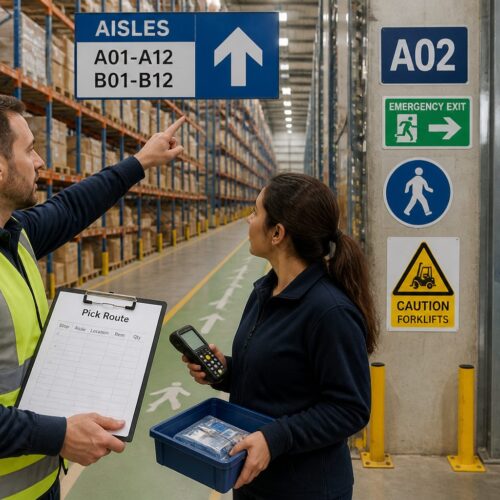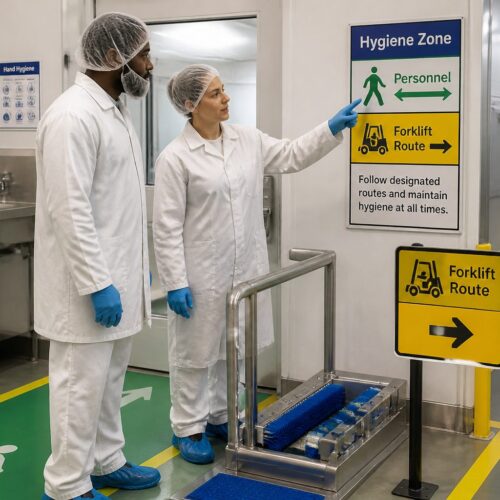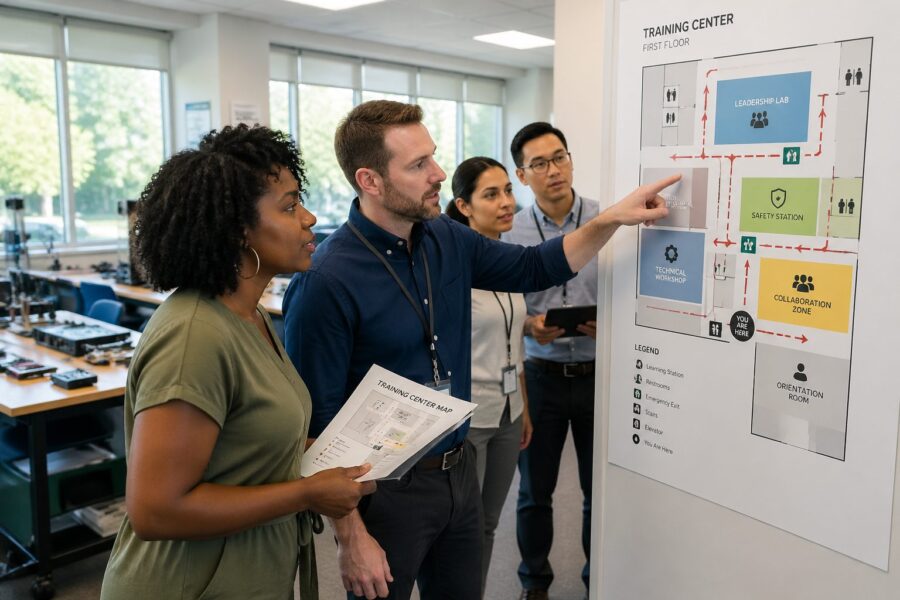
Most companies spend real money on development programs, then make it weirdly hard to find the room where the class happens. Wayfinding for training rooms turns that waste into attendance by making the path obvious from the moment someone steps off the elevator.
I have watched new hires circle a floor with a laptop bag and a coffee, hunting for “Training 2B” like it was a hidden level in a video game. When people arrive late and flustered, the session starts behind schedule and the instructor loses the room fast.
Good employee training signage is not about decoration, it is about reducing friction when people are already juggling work and learning. Clear meeting room navigation also keeps regular operations moving, because training traffic does not spill into quiet zones and reception lines.
This article focuses on practical, standards minded ways to label, map, and manage training spaces so employees can actually use them. The goal is simple, make learning easy to find and easy to join.
Importance of clear wayfinding to training rooms
Wayfinding for training rooms is one of those facility details people only notice when it fails. When it works, employees walk in on time, sit down, and the class starts cleanly.
Late arrivals are not always a time management problem, they are often a navigation problem. If your building has mirrored corridors, identical doors, or multiple “Conference A” labels, people will guess and they will guess wrong.
Clear wayfinding also protects the credibility of development programs because it signals that learning is planned and supported. If the route to training looks improvised, employees assume the training itself will be improvised too.
There is also a safety angle that gets ignored in office settings. Training sessions pull visitors, contractors, and new employees into unfamiliar areas, so signs need to be consistent with the same legibility and placement discipline used for safety and logistics symbology.

Clear wayfinding reduces cognitive load, which matters because people show up thinking about the course content, not the building layout. When the route is obvious, employees can focus on learning instead of scanning every door for a clue.
It also prevents the awkward moment where someone opens the wrong meeting room and interrupts a client call. That kind of mistake is small, but it adds up to a reputation that the office is confusing and the training program is disruptive.
Onboarding is where wayfinding problems hit hardest, because new hires do not yet know the internal shorthand for floors, wings, or departments. If the first training experience feels like a scavenger hunt, you are teaching frustration before you teach skills.
Clear routes also help instructors and facilitators, who often haul laptops, adapters, and printed materials. When they can move quickly and predictably, setup is calmer and the session starts with confidence.
Even in smaller offices, consistent meeting room navigation reduces interruptions to reception and admin teams. Every “where is Training 3” question is a tiny tax that steals time from higher value work.
Wayfinding is also part of inclusion, because the person who is too shy to ask for directions will simply arrive late or skip. A clear sign system supports the quiet employee as much as the confident one.
When you treat training rooms like first class destinations, you communicate that learning is part of the job, not an optional side quest. That message matters when you are trying to build a culture where development programs are taken seriously.
Designating specific areas for employee training
A training room should not be a floating concept that changes based on whoever booked a space first. If you rotate locations every week, you force every participant to re learn the building and you increase late starts.
Pick a small cluster of rooms and treat them as a training zone with a consistent name, like “Learning Center” or “Training Suite.” That naming shows up on wall signs, digital calendars, floor maps, and even the invite template so the language matches everywhere.
Inside the zone, use room numbers that stay stable even if the room layout changes. A room that becomes a computer lab for a month should still be “Training 1” so wayfinding does not break when facilities rearranges tables.
Make the training zone easy to spot by adding a recognizable visual cue at the entrance, like a color band on the wall or a consistent icon family. Keep it restrained, because the point is recognition, not a mural that competes with the sign text.
Stability matters more than perfection, so avoid renaming the zone every time leadership rebrands the program. Employees learn the route through repetition, and repetition only works when the destination name stays put.
Place the training zone near predictable building infrastructure like restrooms, elevators, and a water station. People relax when they can orient themselves with familiar anchors, especially on long sessions with breaks.
Think about noise and privacy when you designate the area, because training includes discussion, role play, and sometimes awkward practice. If the room sits next to a quiet executive corridor, you will end up with complaints that push training into worse spaces.
A dedicated zone also makes it easier to keep the right equipment nearby, like spare chargers, adapters, and a basic supply cabinet. When the space is consistent, the support experience becomes consistent too.
Consider how people arrive in groups, because training sessions tend to release everyone at the same time. A zone with a small waiting area prevents clusters from forming in narrow hallways and blocking everyday traffic.
If you have multiple floors, avoid placing training rooms in a spot that requires multiple elevator transfers or confusing stair choices. The more vertical movement you add, the more opportunities you create for someone to end up on the wrong floor.
When training must happen outside the designated zone, treat it as an exception with extra support rather than a new normal. A clear message like “This session is in Conference 5E, not the Learning Center” prevents autopilot mistakes.
Finally, document the zone in your facilities standards so it survives team changes and office reshuffles. If the training suite exists only in someone’s memory, it will disappear the moment that person changes roles.
Implementing clear signage for training schedules and information
Employee training signage fails most often at the schedule level, not the directional level. People find the hallway, then get stuck wondering which door matches the session title on their calendar invite.
A simple rule helps, show the same three data points everywhere: session name, start time, and room identifier. If your invite says “Excel Basics, 10:00, Training 2,” the sign outside the door should show those exact words and numbers.
Schedule information should be readable from a comfortable distance, not only when someone is standing nose to glass. If employees have to crowd a door to confirm they are in the right place, you create a bottleneck before the session even begins.
Use a consistent layout so people know where to look for the time, the course title, and the room number. When every sign uses a different hierarchy, employees waste seconds decoding formatting instead of confirming details.
Decide what happens when a session is cancelled or moved, because that is when trust in signage gets tested. A clear “Moved to Training 3” message beats a blank panel that makes people wonder if they missed an email.
If you use digital panels, set rules for refresh timing and ownership so the content stays accurate. A screen that shows yesterday’s class is worse than no screen, because it actively misleads people who are trying to do the right thing.
Paper backups still matter for outages, so keep a simple holder for printed schedules that looks intentional. A taped sheet with curling corners signals chaos, even if the information is correct.
Make room identifiers visible even when the door is open, because training rooms often run with doors propped for airflow. If the room name is only on the door itself, it disappears the moment the class begins.
Consider adding a small “You are here” map at the training zone entrance that matches the building directory style. The goal is not to create a complex map, but to give a quick confirmation that the employee has arrived in the right neighborhood.
For multi session programs, post a simple daily agenda outside the room so late arrivals can quietly catch up. That reduces interruptions and keeps the instructor from repeating logistics for every person who slips in.
When sessions have prerequisites or required materials, list them on the schedule board in a short line. A note like “Bring laptop” prevents the scramble that turns the first ten minutes into troubleshooting.
| Sign location | What it should display | Common mistake to avoid |
|---|---|---|
| Lobby directory | Training zone name and floor | Listing only internal room codes |
| Elevator lobby on training floor | Directional arrow and room range | Arrows that point to multiple corridors |
| Training zone entrance | Zone identifier and room list | Temporary paper notices taped to glass |
| Outside each training room | Room name, number, and schedule panel | Using meeting room names that duplicate elsewhere |
Providing instructions for enrolling in training programs
People cannot attend what they cannot enroll in, and enrollment instructions often live in a forgotten intranet page. Put enrollment guidance where the decision happens, near the training zone, near HR, and inside the calendar invite.
Keep instructions short and specific, like “Enroll in LMS, search: Safety 101, select your site.” If the process requires manager approval, say that plainly so employees do not show up assuming a walk in seat exists.
QR codes can help, but only if you also provide a readable URL for people who do not want to scan at work. A code should land on the exact course page, not a portal homepage that forces a second search.
When you run recurring development programs, publish a predictable schedule pattern, such as “first Tuesday” or “every other Thursday.” That rhythm reduces last minute questions and cuts down on ad hoc meeting room navigation requests to reception.
Enrollment instructions should also clarify who the training is for, because many employees will self select out if they feel unsure. A short line like “Required for new supervisors” or “Open to all employees” prevents hesitation.
Spell out what happens after enrollment, because people want confirmation that a seat is real. If the LMS sends an email, say so, and if it does not, tell employees where to check their status.
If waitlists exist, describe how they work and when employees will hear back. A silent waitlist feels like a broken system, and broken systems lead to no shows and frustrated managers.
Include a clear contact path for exceptions, such as accommodations, schedule conflicts, or urgent compliance deadlines. A single email address or help desk link is better than a list of five names that go out of date.
When you post enrollment guidance in physical spaces, keep it evergreen by avoiding dates and one off announcements. The more timeless the message, the less often someone has to remember to update it.
For instructor led sessions, explain whether employees should arrive early for setup or sign in. That one detail can reduce the last minute rush that makes the hallway feel chaotic.
If you use multiple systems, like an LMS for registration and Outlook for invites, explain the relationship in one sentence. Employees get confused when they think accepting a calendar invite is the same thing as enrolling.
Finally, make sure enrollment language matches your culture, because overly formal wording can discourage participation. Simple, direct instructions make development programs feel approachable instead of bureaucratic.
Streamlining the flow of employees to training locations
Training days create bursts of foot traffic that behave differently than normal meetings. If you funnel twenty people through a narrow corridor past private offices, someone will complain and someone will get lost.
Start with the main arrival points, parking entry, lobby, elevator banks, and stairwells. Place directional signs at each decision point, because signs after the turn are too late for anyone moving with a group.
If the building has multiple tenants or multiple wings, add confirmation signs that reassure people they are still on the right path. A small “Training rooms this way” marker halfway down a long hall prevents the slow stop and stare that blocks traffic.
For large sessions, use a check in table positioned so it does not block the door swing or the corridor. A good setup creates a queue that runs parallel to the wall, not across the hallway like a human barricade.
Think about the flow at break times, because that is when people move in clusters and look for restrooms or coffee. If the only route forces everyone back through the same pinch point, you will get congestion and noise complaints.
Use floor markings sparingly, but consider them for complex paths where wall space is limited. A simple stripe or small repeated icon can guide people without requiring them to stop and read.
Keep the path free of obstacles like promotional stands, extra chairs, or storage carts. A route that is technically correct but physically blocked teaches employees to ignore signs and improvise.
If security check points exist, incorporate them into the wayfinding plan rather than treating them as a separate process. A sign that says “Check in at security, then follow blue signs to Training Suite” prevents backtracking and frustration.
For visitors or contractors attending training, provide a clear arrival instruction that matches the signage they will see. If the email says “enter through the south door” but the building signs call it “Entrance C,” you are setting people up to fail.
Consider staggering start times for back to back sessions if the corridor cannot handle two groups crossing. Sometimes the best wayfinding improvement is operational, not physical.
Make sure the training room door area has enough space for people to pause without blocking others. A small landing zone outside the room gives people a place to check their phone, silence notifications, and enter calmly.
When you have hybrid sessions, plan for the extra equipment traffic, like cameras, tripods, and mic kits. A smooth route for gear keeps facilitators from arriving stressed and keeps hallways from turning into staging areas.
Finally, coordinate with cleaning and facilities schedules so carts and maintenance work do not collide with class start times. The best signage in the world cannot fix a hallway blocked by a vacuum and a wet floor sign.
Reducing confusion with consistent meeting room navigation
Meeting room navigation breaks down when every department names rooms differently, then employees try to reconcile five naming systems. Standardize the format, such as “Training 1,” “Training 2,” and “Training 3,” and stop mixing it with themed names that repeat across floors.
Use the same typography, arrow style, and icon set across the building so people do not have to interpret each sign like a new brand. Consistency also helps contractors and visitors who have never seen your internal map conventions.
Directional arrows need discipline because vague arrows cause wrong turns that compound into late arrivals. If a corridor splits, place one sign at the split with one arrow per destination, not a single arrow that tries to cover two options.
Digital signage can support room finding, but it should mirror the physical system rather than invent a new one. If the screen says “Classroom B,” yet the door sign says “Training 2,” you just created a translation problem.
Room numbering should follow a logic that employees can learn quickly, like left to right or near to far from the entrance. When numbers jump around, people assume they missed a turn and start second guessing the signs.
Avoid abbreviations unless they are truly universal in your workplace. What feels obvious to the facilities team can look like a code to everyone else.
Keep door signage visible even when the corridor is busy, because a crowd can hide a small plaque. Larger room identifiers or repeated labels at eye level help people confirm the room without pushing through a group.
If you use colors for navigation, assign them carefully and document them, because random color use becomes meaningless fast. A color should map to a zone or a direction, not to a designer’s preference that changes every renovation.
Make sure the naming convention is reflected in booking tools, because employees often navigate by what they see in Outlook or the LMS. If the booking system uses legacy names, your physical signage will never fully win.
Consistency also applies to tone, so avoid cute room names that do not describe function. Training is functional, and functional labels are what get people to the right door on time.
When you must support both training and general meetings in the same area, separate the labels clearly. A small tag like “Training” on the room sign can prevent someone from assuming it is just another open conference room.
Finally, treat wayfinding as a system, not a collection of signs, because people follow patterns more than they follow instructions. The more predictable the pattern, the less you need to explain.
- Use one naming format for all training rooms
- Post directional signs at every decision point
- Match calendar invite wording to door signage
- Add confirmation markers on long corridors
- Keep arrows single purpose and unambiguous
- Place check in tables outside the traffic line
Ensuring accessibility for all employees
Wayfinding for training rooms must work for employees with low vision, limited mobility, hearing differences, or cognitive overload on a new site. If the only way to find the room is to read a small printed schedule, you are excluding people before the class begins.
Use high contrast text, large type, and glare controlled surfaces, especially near windows and glass walls. Mount signs at consistent heights and keep them out of the clutter zone where posters, plants, and fire equipment compete for attention.
Provide accessible routes that match the signed route, because sending someone to an elevator that requires a badge or a key defeats the point. If a training room sits behind a security door, place instructions before the door so the employee can request access without backtracking.
Include tactile and braille where required, and keep room identifiers short enough to fit cleanly on those formats. A room label like “Training Room for Leadership Development Programs and Workshops” looks nice in an email, but it is a mess on a plaque.
Accessibility also includes hearing accessibility, which means people need to know where to go without relying on shouted directions. If the only help is a receptionist calling out instructions across a lobby, that is not a reliable system.
Use clear sightlines to signs, because a sign that is technically present but hidden behind an open door or a plant is not accessible. Walk the route at different times of day to see what gets blocked when the office is active.
Consider employees with anxiety or neurodiversity who may struggle with crowded decision points. A calm, predictable path with confirmation markers reduces the stress that can keep people from attending in the first place.
Make sure the training zone has accessible seating options and that those options are not treated as afterthoughts. If someone arrives and the only open seat is in a tight corner, the room itself becomes another barrier.
Use plain language and avoid jargon on signs, because cognitive accessibility is part of accessibility. A sign should tell someone what to do without requiring insider knowledge.
When possible, provide a simple pre arrival map in the invite that matches the physical signage. That helps employees plan their route in advance, which is especially valuable for anyone managing mobility or time constraints.
Do not assume everyone uses the same entrance, because accessible entrances are sometimes different from main entrances. Wayfinding should start at every entry point that employees realistically use.
Finally, treat accessibility as ongoing maintenance, because small changes can break it. A relocated sign, a new security gate, or a blocked corridor can undo months of good intentions.
Maintaining standards, symbols, and multilingual clarity
An international workplace needs symbols and language that do not rely on local slang. A sign that says “Learning Hub down yonder” might get a laugh, but it will confuse anyone who learned English in a classroom.
Use plain terms like “Training rooms” and pair them with familiar pictograms when appropriate, such as an information icon near the schedule board. Keep symbols consistent with your broader safety and logistics symbology so people do not have to learn two visual languages.
If you support multiple languages, keep translations professionally reviewed and place them in a predictable order. Do not shrink the second language to a tiny font that becomes decorative rather than usable.
Test your sign text with real employees who speak different first languages and who do not work in facilities. If three people interpret “Lab” as an IT repair room instead of a training computer lab, change the word and move on.
Standards matter because they reduce the number of decisions you have to make for every new sign. When you have a template for type size, contrast, and placement, implementation becomes faster and less error prone.
Symbols should be used to reinforce text, not replace it, because icons can be interpreted differently across cultures. A pictogram works best when it supports a clear label rather than acting as a puzzle.
Be careful with acronyms, because they often do not translate and they rarely help new employees. If you must use an acronym, pair it with the full term at least in the main directory and the training zone entrance sign.
Multilingual clarity also depends on spacing and line breaks, because cramped text is hard to scan quickly. Give each language enough room to be read at walking speed.
Consider using numbers as anchors, because numerals are widely recognized even when language differs. A consistent “Training 1” label can be easier to follow than a translated room name that changes length and shape.
If your workforce includes right to left readers, review how arrows and layouts are perceived. A sign can be technically correct and still feel backward to someone based on reading direction habits.
Keep the tone professional and neutral, because humor is hard to translate and easy to misread. Training signage should feel like a reliable tool, not like an inside joke.
Finally, treat standards as living documents, because your workplace changes as your workforce changes. A yearly review of terminology and symbol use keeps the system aligned with reality.
Auditing and improving wayfinding over time
Sign systems drift because buildings change, teams move, and temporary notices become permanent by accident. Schedule a quarterly walk through with a checklist that covers directories, corridor signs, door signs, and schedule displays.
Use simple metrics that relate to training outcomes, like late arrival counts and the number of “where is the room” messages sent to the instructor. When those numbers drop after a signage update, you have proof that the work mattered.
Ask instructors to note the most common confusion points right after class, while the pattern is fresh. They will tell you if the issue is the elevator bank, the wrong corridor, or the fact that two rooms share the same name.
When you update employee training signage, remove outdated signs at the same time, because conflicting information is worse than missing information. A clean system builds trust, and trust is what gets people to show up for the next module in your development programs.
Do audits at different times of day, because lighting and traffic patterns change what people can see. A sign that looks fine at noon can become unreadable in late afternoon glare.
Include a “new hire test” in your audit by asking someone unfamiliar with the floor to find the room using only posted information. If they hesitate at the same corner every time, that corner is telling you something.
Track where temporary signs appear, because those are often signals that the permanent system is missing a step. If you keep taping arrows to the same wall, it means that wall needs a real directional sign.
Review digital touchpoints during audits, not just physical signs. If the intranet page lists old room names, employees will arrive with wrong expectations no matter how good the hallway signage is.
Set ownership for each sign type, because shared ownership usually means no ownership. A simple matrix like “Facilities owns directional signs, L&D owns schedule content” prevents slow decay.
Budget for replacements and updates as part of normal operations, not as a special project you do once every five years. Signs wear out, adhesives fail, and print fades, and all of that affects legibility.
When you make changes, document them in a central place so future updates do not reintroduce old mistakes. A photo log of sign locations and messages can save hours when a floor is renovated.
Use feedback loops that are easy for employees, like a short link on the schedule board that says “Report a wayfinding issue.” If reporting is hard, people will complain informally and nothing will get fixed.
Over time, the goal is not to add more signs, but to add the right signs and remove the noisy ones. A disciplined system feels calmer because it gives fewer, clearer instructions.
Conclusion
Training only works when employees can find the room, understand the schedule, and know how to enroll without asking three people for help. Wayfinding for training rooms ties those steps together and makes learning look like a normal part of work instead of a special event.
Start with stable room names, clear meeting room navigation, and a schedule display that matches the calendar invite. Then tighten accessibility, symbols, and enrollment instructions so every employee can participate in development programs on equal footing.
Good signage is quiet support, and that is exactly what training needs. When the building helps instead of hinders, instructors can teach and employees can learn without wasting energy on logistics.
If you want one practical next step, walk the route as if you were new, from parking to seat, and time it. When you fix the spots where you hesitate, your employees stop hesitating too.