In today’s fast-paced business environment, efficient inventory management is essential for success. Proper wayfinding for inventory management is a key component in streamlining operations, reducing errors, and improving overall productivity.
Effective inventory location signage guides staff quickly to the items they need. This leads to faster order fulfillment, better stock control, and ultimately, happier customers.
This article will examine the critical role of wayfinding in optimizing inventory management. We’ll cover best practices for implementing clear labeling, using barcode and QR code systems, and strategically placing frequently accessed items.
How Wayfinding Supports Efficient Inventory Management
Wayfinding is more than just putting up signs; it’s about creating a system that guides people intuitively. When applied to inventory management, it transforms how effectively staff can navigate storage areas and locate specific items.
A well-designed stock control wayfinding system reduces wasted time and effort. Employees spend less time searching and more time fulfilling orders and managing inventory levels.
Consider a large warehouse where items are stored randomly. Without a clear system, employees might wander aimlessly, costing valuable time and increasing the risk of errors.
Conversely, a warehouse with a logical wayfinding system ensures that employees can quickly and accurately locate items. This improved efficiency translates to faster order processing and reduced shipping times.
Wayfinding, at its core, is about creating a user-friendly experience within a physical space. It’s about anticipating the needs of the user and providing clear, concise guidance to help them reach their destination efficiently.
In the context of inventory management, this means designing a system that allows employees to quickly locate and retrieve items, regardless of their familiarity with the storage area. This requires careful planning and attention to detail, ensuring that the system is both intuitive and effective.
Think of wayfinding as a map for your warehouse or storage facility. Just as a map guides travelers through unfamiliar territory, a well-designed wayfinding system guides employees through the complexities of inventory management.
The benefits of implementing a robust wayfinding system extend beyond simply reducing search time. It can also improve employee morale, reduce stress, and create a more organized and efficient work environment.
Moreover, effective wayfinding contributes to a safer workplace. By minimizing congestion and reducing the risk of collisions, it helps to prevent accidents and injuries.
Ultimately, a well-designed wayfinding system is an investment in your employees and your business. It empowers employees to perform their jobs more efficiently and effectively, leading to increased productivity and profitability.
Consider the impact on training new employees. A clear wayfinding system significantly reduces the learning curve, allowing new hires to quickly become productive members of the team.
Furthermore, a standardized wayfinding approach ensures consistency across different shifts and teams. This eliminates confusion and reduces the risk of errors, regardless of who is on duty.
The principles of wayfinding can also be applied to other areas of the business, such as office layouts and manufacturing processes. Creating a consistent and intuitive environment throughout the organization can lead to significant improvements in overall efficiency and productivity.
Therefore, implementing a comprehensive wayfinding system should be a top priority for any business that relies on efficient inventory management. It’s a simple yet powerful tool that can have a profound impact on your bottom line.
Implementing Clear Labeling and Signage for Inventory Locations
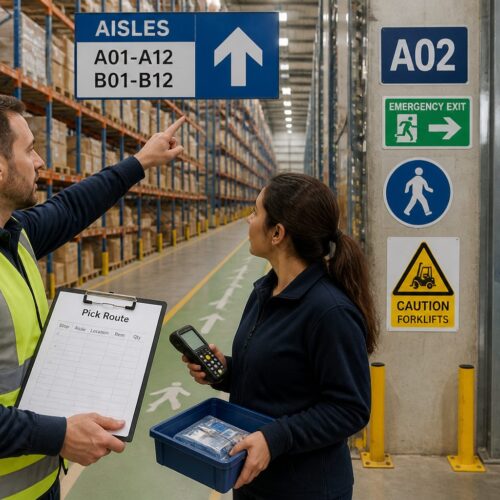
Clear and consistent labeling is the backbone of any effective wayfinding system. Inventory location signage should be easily readable and provide all essential information at a glance.
Use large, bold fonts that are visible from a distance. Ensure that the text contrasts sharply with the background color for maximum legibility.
Consider using a combination of letters, numbers, and colors to identify different zones and sections. This multi-layered approach can help employees quickly orient themselves within the storage area.
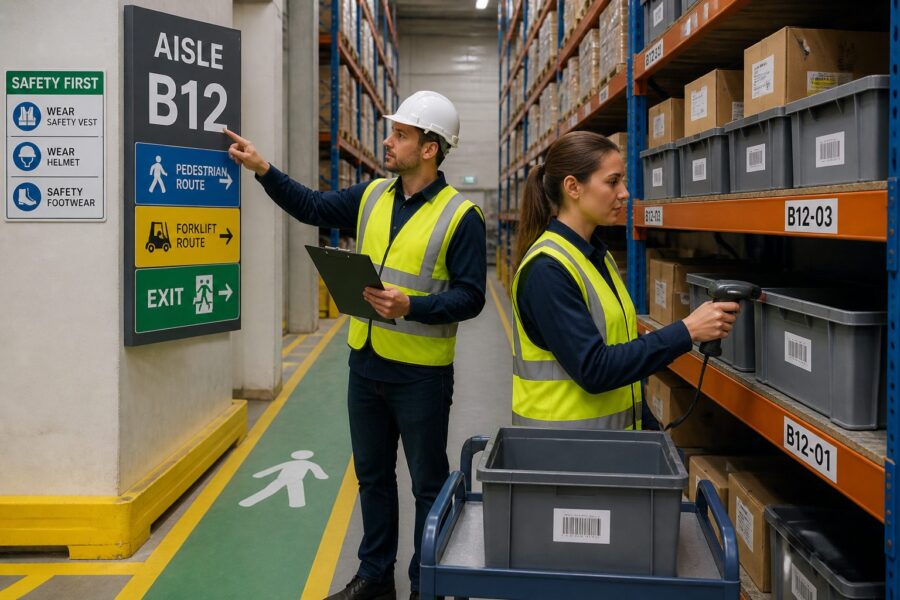
For example, you might designate each aisle with a letter, each shelf with a number, and each bin with a color code. This allows employees to pinpoint the exact location of an item with minimal effort.
When designing your labeling system, think about the information that is most critical for employees to know. This might include the item’s name, SKU, quantity, and any special handling instructions.
The layout of the label itself is also important. Organize the information in a logical and easy-to-understand manner, using clear headings and visual cues to guide the eye.
Consider using different label sizes for different types of locations. For example, you might use larger labels for aisle markers and smaller labels for individual bins or shelves.
The materials used for your labels and signage should be durable and resistant to wear and tear. Choose materials that can withstand the harsh conditions of a warehouse or storage environment, such as moisture, temperature fluctuations, and abrasion.
Regularly inspect your labels and signage to ensure that they are still legible and in good condition. Replace any damaged or faded labels promptly to avoid confusion and errors.
In addition to physical labels, consider using digital signage to provide real-time information about inventory levels and locations. Digital signs can be updated remotely, allowing you to quickly respond to changes in inventory levels or storage configurations.
Ensure that your signage is consistent throughout the storage area. This helps to create a sense of order and familiarity, making it easier for employees to navigate the space.
Use clear and concise language on your signs. Avoid using jargon or technical terms that employees may not understand.
Consider using symbols or icons to supplement the text on your signs. Symbols can be particularly helpful for employees who speak different languages.
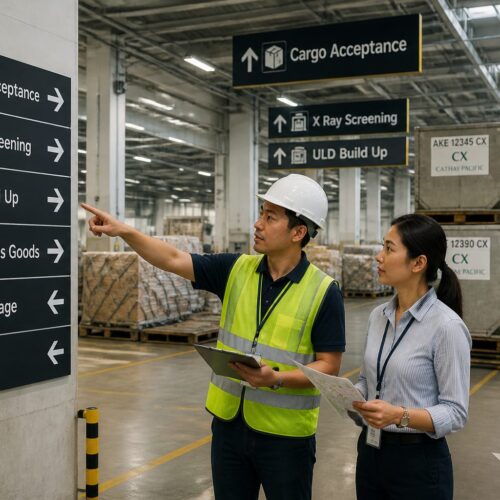
The placement of your signage is just as important as the design. Make sure that signs are placed in highly visible locations where they can be easily seen from a distance.
Avoid placing signs in areas where they might be obstructed by equipment or inventory. Regularly review the placement of your signs to ensure that they are still effective.
Using Barcodes and QR Codes for Easy Identification
Barcodes and QR codes are powerful tools for enhancing wayfinding in inventory management. These technologies enable quick and accurate identification of items and locations.
By scanning a barcode or QR code, employees can instantly access detailed information about an item, such as its name, quantity, and location. This eliminates the need for manual data entry and reduces the risk of human error.
| Feature | Barcode | QR Code |
|---|---|---|
| Data Capacity | Limited | High |
| Scanning Speed | Fast | Fast |
| Error Correction | Low | High |
| Use Cases | Product Identification, Inventory Tracking | URL Linking, Mobile Payments |
| Durability | Susceptible to Damage | More Resistant to Damage |
Implementing a barcode or QR code system requires an initial investment in scanning equipment and software. However, the long-term benefits in terms of efficiency and accuracy far outweigh the costs.
Before implementing a barcode or QR code system, it’s essential to carefully assess your specific needs and requirements. Consider the types of items you need to track, the size of your storage area, and the number of employees who will be using the system.
Choose a barcode or QR code symbology that is appropriate for your application. There are many different types of barcode and QR code symbologies available, each with its own strengths and weaknesses.
Ensure that your scanning equipment is compatible with the chosen symbology. Invest in high-quality scanners that are durable and reliable.
Integrate your barcode or QR code system with your inventory management software. This will allow you to automatically update inventory levels and locations as items are scanned.
Train your employees on how to use the barcode or QR code system correctly. Provide clear instructions and ongoing support to ensure that they are comfortable using the technology.
Regularly audit your barcode or QR code system to ensure that it is functioning properly. Check for damaged or missing labels and verify that the data being captured is accurate.
Consider using mobile devices with built-in barcode or QR code scanners. This can provide employees with greater flexibility and mobility.
Explore the use of RFID (radio-frequency identification) technology in conjunction with barcodes or QR codes. RFID tags can be read from a distance, making it possible to track items without having to scan them individually.
Use barcodes or QR codes to track not only items but also locations. This can help employees quickly identify the correct storage location for each item.
Consider using color-coded barcodes or QR codes to further enhance visual identification. This can be particularly helpful for distinguishing between similar items.
Regularly update your barcode or QR code labels to reflect any changes in item information or storage locations. This will help to ensure that the data being captured is always accurate.
Back up your barcode or QR code data regularly to prevent data loss in the event of a system failure. Store the backups in a secure location.
Continuously evaluate your barcode or QR code system and look for ways to improve its efficiency and effectiveness. Stay up-to-date on the latest technologies and best practices.
Optimizing Placement of Frequently Accessed Items
Strategic item placement is a critical aspect of effective wayfinding. By analyzing which items are accessed most frequently, you can optimize their placement to minimize travel time and improve picking efficiency.
Frequently accessed items should be placed in easily accessible locations, such as near the entrance or in the middle of the storage area. Less frequently accessed items can be placed in more remote locations.
Consider using a “hot zone” strategy, where the most popular items are grouped together in a designated area. This reduces the distance employees need to travel when fulfilling orders containing these items.
Regularly review your item placement strategy based on sales data and demand patterns. Adjustments may be needed to ensure that the most popular items remain easily accessible.
Start by analyzing your sales data to identify the items that are most frequently ordered. This will give you a clear picture of which items should be prioritized for placement in easily accessible locations.
Consider using an ABC analysis to categorize your inventory based on its value and frequency of use. “A” items are the most valuable and frequently used, while “C” items are the least valuable and frequently used.
“A” items should be placed in the most accessible locations, while “C” items can be placed in more remote locations. “B” items can be placed in intermediate locations.
When determining item placement, consider the ergonomics of the picking process. Place heavy or bulky items at waist level to minimize strain on employees.
Avoid placing items on the floor, as this can make them difficult to access and increase the risk of damage. Use shelving or pallet racking to keep items off the floor.
Consider the flow of the picking process when determining item placement. Place items that are frequently picked together in close proximity to each other.
Use visual cues to guide employees to the most frequently accessed items. This could include using color-coded labels or signs to highlight the location of these items.
Regularly rotate your inventory to ensure that items are used before they expire or become obsolete. Use a FIFO (first-in, first-out) system to ensure that the oldest items are picked first.
Consider using a slotting optimization tool to help you determine the optimal placement of items in your storage area. These tools can analyze your sales data and demand patterns to identify the most efficient item placement strategy.
Regularly review your item placement strategy and make adjustments as needed. As your sales data and demand patterns change, your item placement strategy should also evolve.
Involve your employees in the item placement process. They are the ones who are picking the items every day, so they can provide valuable insights into how to optimize the placement of items.
Reducing Errors in Picking and Replenishment Processes
Effective wayfinding plays a crucial role in minimizing errors during picking and replenishment processes. Clear labeling, signage, and item placement reduce the likelihood of employees selecting the wrong items or placing items in incorrect locations.
Implement a system of double-checking to further reduce errors. This could involve having a second employee verify the items selected or using technology such as handheld scanners to confirm that the correct items are being picked.
- Clear signage
- Logical layout
- Barcode verification
- Regular training
- Performance monitoring
Regular training is essential to ensure that employees understand the wayfinding system and follow best practices. This helps to maintain accuracy and consistency across all inventory management processes.
Provide employees with clear and concise instructions on how to pick and replenish items. Use visual aids, such as diagrams or flowcharts, to illustrate the process.
Implement a system of cycle counting to regularly verify the accuracy of your inventory records. Cycle counting involves counting a small subset of your inventory on a regular basis.
Use technology to help reduce errors in picking and replenishment processes. Handheld scanners can be used to verify that the correct items are being picked and placed in the correct locations.
Implement a system of pick-to-light or put-to-light to guide employees to the correct locations. These systems use lights to indicate which items need to be picked or where items need to be placed.
Use a voice-directed picking system to provide employees with hands-free instructions. This can improve accuracy and efficiency, especially in high-volume picking environments.
Implement a system of quality control checks to identify and correct errors before they impact customers. This could involve inspecting a sample of picked orders to ensure that they are accurate.
Use data analytics to identify patterns and trends in errors. This can help you to identify the root causes of errors and implement corrective actions.
Create a culture of continuous improvement. Encourage employees to identify and report errors, and to suggest ways to improve the picking and replenishment processes.
Regularly review your picking and replenishment processes and make adjustments as needed. As your business changes, your processes should also evolve.
Implement a system of accountability. Hold employees accountable for their performance in picking and replenishment processes.
Provide employees with regular feedback on their performance. This will help them to identify areas where they can improve.
Recognize and reward employees for their accuracy and efficiency in picking and replenishment processes. This can help to motivate employees and improve performance.
Integrating Wayfinding with Inventory Tracking Systems
Integrating wayfinding with inventory tracking systems can significantly enhance efficiency and accuracy. This integration allows you to link physical locations with digital records, providing real-time visibility into inventory levels and locations.
When an item is scanned, the system can automatically update its location in the inventory database. This ensures that the information displayed in the system is always accurate and up-to-date.
Consider using a warehouse management system (WMS) that includes wayfinding capabilities. A WMS can provide optimized routes for picking and replenishment, guiding employees to the most efficient paths through the storage area.
Some advanced systems use augmented reality (AR) to overlay digital information onto the physical environment. This can provide employees with real-time guidance and instructions, further improving picking accuracy and efficiency.
Start by selecting an inventory tracking system that meets your specific needs and requirements. Consider the size of your inventory, the complexity of your operations, and your budget.
Ensure that your inventory tracking system is compatible with your wayfinding system. The two systems should be able to communicate with each other seamlessly.
Use your inventory tracking system to generate reports on item locations and inventory levels. This information can be used to optimize your wayfinding system and improve picking efficiency.
Integrate your inventory tracking system with your order management system. This will allow you to automatically update inventory levels as orders are placed and fulfilled.
Use your inventory tracking system to track the movement of items throughout your storage area. This can help you to identify bottlenecks and inefficiencies in your processes.
Implement a system of alerts to notify you when inventory levels fall below a certain threshold. This will help you to avoid stockouts and ensure that you always have enough inventory on hand to meet demand.
Use your inventory tracking system to track the expiration dates of perishable items. This will help you to ensure that you are using the oldest items first and that you are not selling expired items.
Integrate your inventory tracking system with your accounting system. This will allow you to automatically update your financial records as inventory levels change.
Use your inventory tracking system to track the cost of your inventory. This will help you to make informed decisions about pricing and purchasing.
Regularly back up your inventory tracking system data to prevent data loss in the event of a system failure. Store the backups in a secure location.
Continuously evaluate your inventory tracking system and look for ways to improve its efficiency and effectiveness. Stay up-to-date on the latest technologies and best practices.
Consider using cloud-based inventory tracking system. Cloud-based systems are typically more affordable and easier to manage than on-premise systems.
Ensure that your inventory tracking system is secure. Protect your data from unauthorized access.
Provide employees with training on how to use the inventory tracking system. This will help them to use the system effectively and avoid errors.
Conclusion
Effective wayfinding is a cornerstone of efficient inventory management. By implementing clear labeling, using barcode and QR code systems, and strategically placing frequently accessed items, you can significantly improve productivity and reduce errors.
Integrating wayfinding with inventory tracking systems provides real-time visibility and further enhances operational efficiency. Investing in a well-designed wayfinding system is an investment in the long-term success of your business.
The principles outlined in this article can be applied to businesses of all sizes, from small startups to large corporations. The key is to tailor your wayfinding system to your specific needs and requirements.
By taking the time to plan and implement a well-designed wayfinding system, you can create a more efficient, accurate, and productive inventory management process. This will ultimately lead to increased profitability and customer satisfaction.
Remember that wayfinding is not a one-time project. It’s an ongoing process that requires regular review and adjustment. As your business changes, your wayfinding system should also evolve to meet your changing needs.
Embrace the power of wayfinding and transform your inventory management process into a competitive advantage. A well-organized and easily navigable storage area is a valuable asset that can contribute to the overall success of your business.
Don’t underestimate the impact of a seemingly simple change like improving signage or optimizing item placement. These small improvements can add up to significant gains in efficiency and accuracy.
Invest in your employees by providing them with the tools and resources they need to succeed. A clear and intuitive wayfinding system is an essential tool for any employee who is involved in inventory management.
By focusing on wayfinding, you can create a more organized, efficient, and profitable business. Start planning your wayfinding system today and reap the rewards for years to come.
Consider consulting with a wayfinding expert to help you design and implement a system that is tailored to your specific needs. A professional can provide valuable insights and guidance, ensuring that your wayfinding system is effective and efficient.
The future of inventory management is all about automation and optimization. Wayfinding is a key component of this future, enabling businesses to streamline their processes and reduce errors.
Stay ahead of the curve by investing in wayfinding technologies and best practices. This will help you to remain competitive in today’s fast-paced business environment.
Remember that effective wayfinding is not just about saving time and money. It’s also about creating a better work environment for your employees. A well-organized and easily navigable storage area can improve employee morale and reduce stress.
Make wayfinding a priority in your inventory management strategy. It’s an investment that will pay off in the long run.
By implementing the principles outlined in this article, you can transform your inventory management process and unlock the full potential of your business.