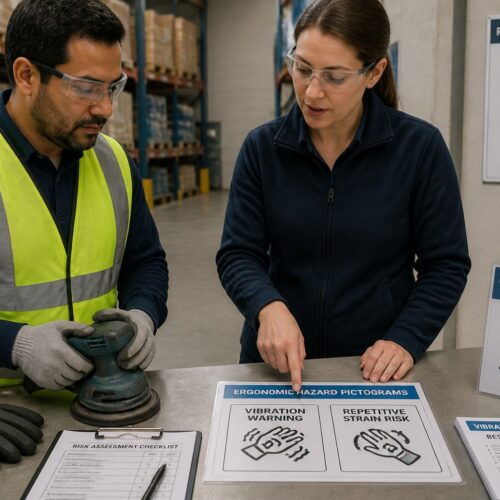
Pictograms run the world when words fail, on a dock at midnight, on a chemical drum, or on a warehouse rack label. If your symbol needs a second look, it is already slowing someone down or setting them up to make a mistake.
For an international standards site, that speed matters because pictograms cross borders faster than any translation team can. A forklift operator in Ohio and a port worker in Busan should read the same mark the same way.
Pictogram design best practices are not about making cute icons, they are about making decisions that hold up under bad lighting and real pressure. When a symbol is clear, people act correctly without stopping to interpret it.
Good symbology also has to survive production, from laser etching on metal to low resolution printing on corrugated cartons. If the design falls apart when it shrinks, your system is fragile.
In industrial settings, time is not an abstract metric, it is a safety factor and a throughput factor. A symbol that adds even a half second of hesitation can stack up across hundreds of touches in a shift.
Clarity also reduces the need for workarounds like handwritten notes or improvised stickers that drift away from standardization. Once a site starts inventing its own marks, consistency collapses quickly.
Pictograms are often the only part of an instruction that survives distance, glare, and noise. When you design for the worst conditions, the symbol becomes reliable in the normal ones.
That reliability is why standards bodies care so much about repeatable form, not designer personality. The goal is a symbol that behaves like infrastructure, not like a campaign graphic.
What makes a pictogram “readable” in under a second
A readable pictogram has a strong silhouette that you can recognize even when you blur your eyes. People latch onto outer shape first, then interior detail, so the outline has to carry the meaning.
Context is the second half of speed, because a safety triangle, a prohibition circle, and a mandatory blue disc change how the same graphic is interpreted. If you ignore that grammar, you force the viewer to decode two messages at once.
Symbol legibility is also about contrast, and contrast is not only color. A black mark on yellow works, but so does a clear positive to negative relationship that holds on a monochrome thermal label.
I judge under a second readability by asking a blunt question, can someone name the action without narrating the drawing. If they say “a person doing something with a box,” you have an illustration, not a pictogram.
Readability also depends on how quickly the icon separates from its background clutter. If the sign sits among other labels, barcodes, and handwritten notes, the pictogram needs a clean visual footprint.
One second is not a lot of time, and it gets even shorter when the viewer is moving. A symbol on a passing pallet or a swinging door has to be recognizable in fragments.
Motion blur is a real design constraint in logistics, especially on forklifts and conveyors. Thick, simple shapes survive blur better than fine lines and tiny internal features.
Lighting is another silent killer, because warehouses can have bright skylights and deep shadows in the same aisle. If your icon relies on midtone detail, it will disappear in either extreme.
Distance matters too, and people often view signs from farther away than designers assume. A symbol that reads at 30 inches on a monitor may fail at 10 feet on a wall.
Familiarity speeds recognition, which is why standard forms outperform novel ones even when the novel ones are technically accurate. The brain prefers the version it has already seen in training and on packaging.
Finally, readability includes emotional clarity, meaning the symbol should not feel like it might mean something else. If the viewer has to ask whether it is a warning or an instruction, you have already lost time.
Simplifying shapes without losing meaning
Icon simplicity is a discipline, because every extra notch or texture competes with the message. The goal is to remove detail while keeping the one feature people use to identify the object or action.
Start with the real world thing and ask what makes it unique, like the hook on a crane, the tines on a forklift, or the flame shape on a flammable warning. If you simplify past that feature, you end up with generic clip art that could mean five different hazards.
A common trap is simplifying by rounding everything until it looks friendly. Safety and logistics symbols do not need to look friendly, they need to be fast and unambiguous.
When you simplify, keep proportions honest enough that the viewer does not have to guess scale. A battery pictogram with a tiny terminal nub reads like a pill capsule when it is printed small.
Simplification works best when you decide what the symbol is not going to show. If you try to include every feature, you end up with a tiny technical drawing that no one can parse in a hurry.
Remove texture first, because texture is almost always noise at small sizes. A wood grain, tread pattern, or fabric weave might look realistic, but it collapses into speckle on print.
Then remove secondary parts that do not change the meaning, like extra bolts, seams, or minor contours. The viewer should still recognize the object from its primary geometry.
Be careful with human figures, because tiny anatomy cues can turn into ambiguity. A hand with five separate fingers often prints as a blob, while a mitten-like hand shape can read faster.
Actions are usually clearer than objects, so lean on verbs when you can. A hand reaching toward a pinch point communicates more than a detailed drawing of the machine doing the pinching.
Arrows and motion lines should be used sparingly, because too many of them become visual static. One strong arrow with a clear start and end is better than three small arrows that imply a swirl.
When you are unsure, simplify and then test, because the audience will tell you what detail was actually carrying the meaning. Designers often keep details that only designers notice.
Simplicity also helps with multilingual environments, because it reduces the chance that the symbol suggests a culturally specific object. A generic container silhouette can outperform a region-specific bottle shape.
The best simplified icons feel inevitable, like there was never another way to draw them. That sense of inevitability is usually the result of many small removals that preserved the core cue.
Consistent stroke weight, corners, and spacing
Visual consistency is what turns a set of individual signs into a system that people trust. If one icon uses hairline strokes and another uses thick strokes, the set looks mismatched and the thin one tends to disappear first.
I like to pick a stroke weight that survives the worst case, like embossing on a plastic tote or a worn stencil on a steel door. Once you pick it, treat it like a rule, not a suggestion.
Consistency also helps users learn faster, because they stop re-evaluating the drawing style on every new sign. When the style is stable, the brain spends its effort on meaning instead of form.
Stroke weight is not just a visual choice, it is a manufacturing choice. If the thinnest line cannot be printed reliably, the icon will degrade into a different symbol over time.
Corner treatment is another subtle signal that affects recognition. Mixed sharp and rounded corners can make a set feel like it came from multiple sources, which undermines confidence.
Spacing is where many icons fail, because designers pack elements too tightly to fit the frame. Tight spacing becomes clogged spacing when ink spreads, labels scuff, or dust accumulates.
Internal counters, like the hole in a ring or the gap between fingers and a blade, need a minimum size that survives the worst printer. If you cannot guarantee the gap, redesign the relationship.
Alignment rules matter because they create predictable rhythm across the set. When icons share a baseline and cap height, they look like they belong together even if the subjects vary widely.
Do not forget that consistency includes how you draw arrows, sparks, droplets, and other small motifs. If one arrow is triangular and another is open, users may subconsciously treat them as different verbs.
Even the amount of detail allowed inside the frame should be standardized. If some symbols are dense and others are minimal, the dense ones will be slower to read and feel more complicated.
A good system also defines how close elements can get to the border. Crowding the frame makes the icon feel tense and reduces the clean silhouette that supports speed.
When you enforce these rules, you also make updates easier. A new symbol can be added without restarting the style conversation from scratch.
| System rule | Why it matters | Practical check |
|---|---|---|
| Single stroke weight across the set | Prevents some symbols from looking lighter or less important | Print a contact sheet at 16 mm and compare darkness |
| Corner radius standards | Keeps geometry consistent and avoids mixed visual styles | Use one radius value for all rounded corners |
| Minimum gap size | Stops counters and openings from filling in during printing | Verify gaps stay open on a 203 dpi label printer |
| Consistent padding to border | Improves recognition and prevents crowded compositions | Use a fixed safe area, like 10 percent of the frame |
These rules sound picky, but they are what keep a library from turning into a patchwork. In audits and incident reviews, patchwork is where confusion hides.
If you inherit a mixed set, you can often improve it by normalizing stroke and spacing before you redraw any objects. That quick pass can make the whole system feel more coherent without changing meanings.
Consistency also supports accessibility, because predictable geometry is easier to perceive quickly. When users know what to expect, they can focus on the differences that matter.
When in doubt, treat your symbol set like a typeface family, where each glyph must work alone and also harmonize with the rest. That mindset pushes you toward rules that scale.
Using negative space to improve recognition
Negative space is one of the easiest ways to boost symbol legibility without adding complexity. A clean cutout can separate a hand from a blade, or a box from a conveyor, even when the icon is tiny.
The trick is to make negative shapes intentional, not accidental leftovers between lines. If the empty area forms a clear secondary shape, the brain reads it faster and with more confidence.
Watch for small enclosed holes, because they are the first things to clog on rough printing or when a sign gets dirty. If your design relies on a pinhole to show a needle tip, it will fail in a warehouse.
Good icon simplicity often comes from swapping interior detail for a strong cutout. A “do not pinch fingers” symbol can read better when the pinch point is a white wedge, not a cluster of tiny lines.
Negative space also helps when the icon needs to work in reverse, like white ink on a dark background. If the design is built on clear figure-ground logic, inversion does not break it.
Figure-ground confusion is a common reason symbols feel slow. If the viewer cannot tell what is foreground and what is background, the brain spends time flipping interpretations.
Use negative space to separate overlapping objects instead of drawing extra outlines. Two bold shapes with a clean gap often read better than three outlines fighting for attention.
Be careful with clever optical tricks, because they can backfire under low resolution. A subtle cutout that looks brilliant in vector form can vanish on a 203 dpi print.
Negative space should be sized like a structural element, not like decoration. If the gap is too thin, it will close, and the meaning will change.
One practical approach is to design the negative shapes first and then build the black shapes around them. That keeps the empty areas purposeful and consistent across the set.
Also remember that negative space can imply direction. A wedge-shaped gap can suggest movement or a hazard zone without adding more arrows.
When you review a symbol, squint and see whether the white shapes still look like something intentional. If the emptiness looks random, the symbol will feel less stable to the viewer.
In many cases, the fastest icon is the one with the fewest interior lines and the cleanest voids. That is not minimalism for its own sake, it is legibility engineering.
Testing comprehension with a small user group
You can predict a lot at the desk, but you cannot predict misreads without testing. A small comprehension check catches the weird interpretations that designers never see because they already know the intended meaning.
Use people who match the setting, like warehouse associates, drivers, lab techs, or maintenance staff, and keep the test short. Show the pictogram for one second, hide it, then ask what action they would take.
Do not coach them with multiple choice unless you are measuring something specific, because options can inflate your score. Free response answers tell you whether the symbol is carrying its own weight.
When you compare variants, change one thing at a time, like hand position or arrow direction. That makes the results useful for pictogram design best practices instead of turning into a debate about taste.
Small groups can still be effective if you structure the session well. You are not trying to prove perfection, you are trying to find the failure modes before release.
Collect the exact words people use when they describe the symbol. Those words reveal whether they saw the intended verb, object, and hazard level.
Track hesitation as well as correctness, because a correct answer after long thinking is still a slow symbol. In the field, hesitation often turns into non-compliance.
Test the icon both alone and in its real sign context. A symbol that is clear in isolation can become unclear when it is squeezed into a crowded label template.
Include a few distractor symbols to simulate real scanning behavior. People rarely look at one sign at a time, they scan a cluster and pick the one that matches the situation.
Do not ignore wrong answers that are consistent across multiple participants. If three people read it the same wrong way, that is a design issue, not a user issue.
When you see confusion, resist the urge to add detail immediately. Often the fix is stronger silhouette, better spacing, or a different metaphor, not more lines.
After revisions, re-test quickly with a fresh set of eyes. Familiarity can bias results, so new participants help confirm that the improvement is real.
Even informal testing builds credibility with operations teams. When you can say you checked comprehension with actual users, the symbol set is easier to adopt.
Common design mistakes that reduce clarity
The biggest mistake is trying to show a whole story in one frame. Pictograms work best when they show one action or one object, because the viewer has no time to parse a scene.
Another mistake is borrowing app icon habits, like heavy gradients, tiny shadows, or thin outline styles. Those tricks die instantly on industrial substrates, and they fight icon simplicity.
Mixed perspectives also cause trouble, like a box drawn in 3D next to a flat stick figure. Visual consistency matters because perspective changes how people judge direction and motion.
Finally, designers often forget that arrows are verbs, not decorations. If an arrow is ambiguous about direction, you can turn a safe instruction into a hazardous one.
Another common mistake is relying on text-like details, such as tiny numerals, letters, or micro symbols inside the icon. If the meaning depends on reading, it is no longer language independent.
Overusing realism can also reduce clarity, especially when you add perspective shading or complex contours. Realism adds visual weight without adding decision-making value.
Designers also sometimes reuse the same human figure for every action without adjusting posture. If the body language does not match the verb, the icon becomes generic and slower.
Ambiguous objects are a frequent problem in logistics, like a rectangle that could be a box, a battery, a book, or a tablet. If the object is a rectangle, you need a distinctive feature or a clearer context frame.
Too much symmetry can be another trap, because symmetry can hide direction. A symmetrical “lift here” mark can fail when the real instruction is left-only or right-only.
Inconsistent use of borders and frames can create confusion about category. If some warnings use a triangle and others float without a frame, people will not know what to prioritize.
Some sets also mix humor or character into serious instructions. Humor is memorable, but it can undermine the seriousness of hazards and reduce compliance.
Designers sometimes place the most important element too close to the edge, where it gets clipped by trimming or label misalignment. Production tolerances are not perfect, so the safe area needs to be real.
Another mistake is assuming color will always be available and consistent. If the icon only works in red and green, it will fail on monochrome printing and for some color vision deficiencies.
Finally, teams often skip version control and end up with multiple similar symbols in circulation. When different sites use different versions, training becomes fragmented and error rates rise.
Building a symbol set that scales across safety and logistics
A single pictogram can be good, yet the set can still be a mess. The moment you have ten or fifty symbols, people start learning the system rules, so you need visual consistency across the library.
Pick a base grid and stick to it, because alignment is a quiet form of clarity. When every icon shares the same cap height, baseline, and margins, the user stops noticing the design and starts noticing the message.
Scaling also means planning for different carriers, like placards, SDS documents, packaging marks, and on screen training slides. Symbol legibility changes when the same artwork moves from a large sign to a 12 mm label.
If you are working near established standards like ISO 7010 style conventions or GHS label expectations, avoid being clever. Familiar forms reduce training time, and that is a real operational win.
A scalable set starts with a clear taxonomy, even if users never see the taxonomy. Decide which symbols are warnings, which are prohibitions, which are mandatory actions, and which are informational logistics marks.
Once categories are set, keep the visual grammar consistent inside each category. If mandatory actions always show a hand in the same style, users learn that pattern quickly.
Plan for symbol families, like variations of PPE, handling, or hazard exposure. When the family shares a base form, new symbols feel familiar instead of surprising.
Do not let the set drift into mixed metaphor, where one icon uses a photo-like object and another uses an abstract diagram. Mixed metaphor forces users to re-learn how to interpret each sign.
Define how you represent people, tools, and machines, because those are the most repeated elements. A consistent human figure reduces cognitive load across dozens of instructions.
Also define how you represent containers, because logistics is full of containers that look similar. A drum, a tote, and a carton should be distinct at small sizes, not just different rectangles.
Scaling across media means thinking about file formats and handoff, not just the drawings. If the set is distributed as clean vectors with clear naming, it stays consistent in the field.
Consider building a simple usage guide that shows correct and incorrect applications. A great pictogram can be ruined by bad placement, wrong color, or crowding next to unrelated marks.
When you align with standards, you also reduce legal and compliance friction. Even when you are not required to use a specific standard mark, familiar structure helps with acceptance.
A scalable set also anticipates future additions, like new battery chemistries, new automation equipment, or new PPE requirements. If the rules are solid, new symbols can be added without redesigning the whole library.
Finally, treat the symbol set as a product with maintenance, not as a one-off deliverable. A controlled update process prevents drift and preserves trust.
Quick checks designers can run before release
Before you ship artwork to production, run a few fast checks that catch the obvious failures. They are boring, but they save you from expensive reprints and awkward safety audits.
These checks work best when you do them on the real output method, like a label printer, stencil, or UV print. A crisp SVG on a monitor can hide problems that show up the second ink hits a textured surface.
Do the checks in the order people will experience the symbol, starting with distance and speed. If it fails at a glance, it does not matter that it looks perfect up close.
Also check the symbol in the full label layout with surrounding text, borders, and barcodes. Crowding and competing elements can steal contrast and reduce symbol legibility.
Print on the cheapest, worst substrate you expect to encounter. If it survives that surface, it will usually survive the premium ones.
Test both positive and reversed versions, because many operations invert colors for different sign systems. A symbol that collapses when reversed is a fragile design.
Check for accidental symbols created by overlaps and gaps. Sometimes the negative space forms an unintended shape that distracts the viewer.
Run a quick side-by-side with similar icons in your set. If two symbols look too similar at small size, the system will generate errors in real use.
Look for the smallest detail that carries meaning and ask whether it will survive wear. If the answer is no, redesign so the meaning is carried by larger forms.
Finally, verify that the exported files are clean, with no stray points, weird clipping masks, or raster effects. Production vendors will not fix your geometry, they will just print it.
- Blur test at 25 percent zoom
- Print at smallest intended size
- One color version on white and on dark
- Distance check at 10 feet in poor lighting
- Fill and stroke expansion check for clogged gaps
- Side by side set review for visual consistency
If you have time for only one extra step, do the smallest-size print and tape it where it will actually be used. Real context exposes problems that studio review never catches.
These checks also create a repeatable release process, which is part of standardization. When every new icon goes through the same gate, quality stays stable as the set grows.
Balancing standardization with local expectations
International symbols still meet local habits, and those habits can change interpretations. A hand gesture that is harmless in one country can be rude or confusing in another, so avoid culture bound cues.
Tools and vehicles also vary by region, like pallet jack shapes, hard hat profiles, or common container types. When you can, design to the most widely recognized form, not the coolest one.
Language free does not mean context free, especially for logistics symbology like “keep dry” or “this way up.” People learn these marks through repetition, so small deviations can cause hesitation.
If you must introduce a new symbol, pair it with training material and consistent placement rules. After a few months of exposure, the symbol becomes familiar, but only if you keep the design stable.
Local expectations also include how strict a site is about PPE and warnings. In some environments, a symbol that feels too casual will be ignored, even if it is technically legible.
Color meanings can vary as well, especially outside formal safety sign standards. If you rely on color alone to convey category, you may collide with local conventions.
Even simple objects can be interpreted differently depending on what people see every day. A “knife” symbol might read as a box cutter in one warehouse and a kitchen knife in another.
When you work globally, it helps to avoid region-specific brand silhouettes. A generic respirator shape is safer than a distinctive model that only some sites use.
Placement rules are part of expectation management, because people look for symbols in predictable locations. If one site puts handling icons on the top right and another puts them on the bottom left, recognition slows down.
Standardization should also consider literacy levels and training access. A symbol that assumes formal safety training may not work for temporary labor or mixed-experience crews.
When you need local variants, keep the differences minimal and document them clearly. The worst outcome is a set of unofficial variations that spread without control.
A good compromise is to keep the core symbol standard and adjust only the surrounding sign format when needed. That keeps the pictogram itself consistent while respecting local sign systems.
Over time, the most successful symbols are the ones that feel obvious everywhere. That “obvious” feeling is usually the result of careful avoidance of local quirks.
Designing for real world materials and wear
Warehouses are hard on graphics, with abrasion, dust, sun fade, and chemical splashes depending on the site. Pictogram design best practices should assume the mark will degrade and still need to work.
Thicker strokes and generous spacing usually beat delicate detail, even if the delicate version looks nicer in a presentation deck. That is where icon simplicity pays off in a very practical way.
Think about contrast when the substrate changes, like black ink on brown corrugated or white ink on a red drum. If the symbol needs a perfect background to read, it is not ready for logistics.
Also consider grime, because dirt tends to fill in low spots and corners. Negative space that stays open after a month on a forklift mast is worth more than a clever line detail that disappears.
Wear is not uniform, so design for partial loss. If a corner scuffs off, the remaining shape should still suggest the intended meaning rather than turning into a different icon.
Adhesives and laminates can also change appearance, adding gloss and glare. A symbol with subtle internal contrast can vanish when overhead lights reflect off the surface.
Embossing and debossing are especially unforgiving, because they remove color contrast and rely on shadow. In those cases, silhouette and spacing become the whole game.
Laser marking on metal can produce thin lines that look sharp at first and then fade as the surface oxidizes. If your mark is going on metal, avoid hairline geometry.
Chemical exposure can stain labels and shift colors over time. A design that depends on a specific hue difference can become unreadable after a spill or cleaning cycle.
Outdoor yards add UV, rain, and temperature swings, which can crack inks and plastics. In that environment, bold shapes and simple frames are a form of durability.
Even indoor sites can have wet processes, like food, beverage, or pharma washdowns. Water droplets can create visual noise, so keep the icon’s essential cues large.
Think about how the symbol will be applied, because application errors happen. A slightly crooked label should not make an arrow look like it points somewhere else.
Designing for wear also means designing for cleaning, because people wipe surfaces quickly and repeatedly. If the icon uses thin lines, cleaning can erase it faster than you expect.
When you plan for these realities, you end up with symbols that look almost boring in the best way. Boring here means stable, predictable, and hard to misread.
Conclusion
The best pictograms act like good road signs, they get read fast and then they get out of the way. That outcome comes from discipline around icon simplicity, visual consistency, and symbol legibility.
If you build a system with clear silhouettes, consistent geometry, smart negative space, and quick user testing, your symbols will hold up across sites and countries. When you apply pictogram design best practices this way, you reduce confusion where it matters most, on the floor, at the dock, and in the lab.
A strong symbol library is also a quiet form of risk reduction. It lowers the chance that a new hire, a visitor, or a rushed operator will guess wrong in a high consequence moment.
It also improves efficiency, because people stop stopping. When the system is consistent, the work becomes smoother and training becomes shorter.
Most importantly, good pictograms respect the reality that humans work under pressure. When the design is built for that reality, the symbol does its job without asking for attention.