Cross-dock buildings run on minutes, and the fastest teams still lose time when drivers and lift operators hesitate at the same decision points. Wayfinding for cross-dock operations is the quiet system that keeps freight moving when the radio is busy and the dock is loud.
I have walked cross-docks where every person knew the building, yet new temps and visiting drivers still stacked up at the wrong door. Clear cross-dock layout signs and staging lane labels fix that problem without adding headcount.
The goal is simple, get inbound freight to the right sort and outbound trailer with fewer stops and fewer questions. Good inbound outbound directions do that with consistent names, legible symbols, and placement that matches how people actually look while moving.
Understanding cross-dock movement and decision points
Cross-dock flow is a chain of small choices, turn left at the first aisle, pick door 14, stage in lane C3, then exit without crossing pedestrians. If you do not mark those choices, people create their own rules, and those rules change every shift.
Most buildings have a few high-friction moments where everyone slows down, even if they do not admit it. Those moments are where a simple sign can prevent a 30-second pause that repeats hundreds of times per day.
The first decision point is usually the yard to dock transition, where drivers need inbound outbound directions before they hit the apron. Put the first confirmation sign where the cab can see it without stopping, not at the door where it is too late.
Drivers also need reassurance that they are still on the right path, especially when the yard is busy and they are watching for pedestrians and hostlers. A second confirmation marker after the turn keeps them from circling back to check-in.
Some yards force a choice between two similar-looking dock faces, and that is where wrong-door backups start. If you can only afford one big sign, place it at the fork in the road, not at the end of the road.
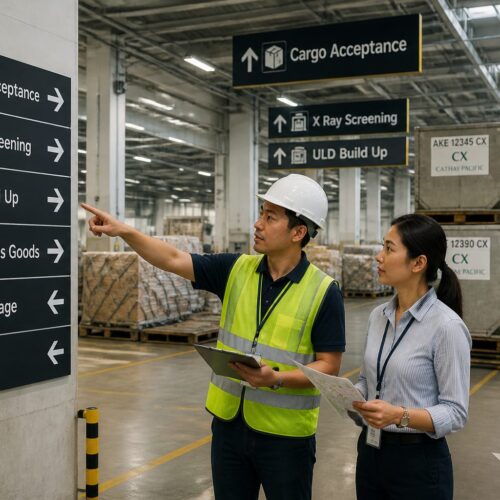
The second decision point is inside the building, where a forklift operator scans for the next cue while carrying a tall pallet. Wayfinding for cross-dock operations has to work at speed, so sign placement needs to match sightlines above loads and around door columns.
Inside movement is also noisy, and people cannot always hear shouted directions or backup alarms from the next aisle. Visual cues need to be strong enough that the operator does not have to slow down just to read.
Cross-docks often run with mixed equipment, like reach trucks, counterbalances, and tuggers, and each has different sightlines. When you test signs, test from the seat of the tallest and the shortest equipment, not from a standing position.
The third decision point is staging, because staging lanes become temporary storage when the system is stressed. If lane names and rules are unclear, people park freight wherever there is floor space, and then everyone spends the next hour hunting.
Staging decisions also happen under pressure, because unload teams want to clear the trailer and move on. When a lane is full or blocked, the worker needs an obvious next-best option that is posted, not invented.
Returns, damages, and exceptions create their own decision points because they do not fit the happy path. If the exception path is not marked, exceptions get staged in normal lanes and contaminate the outbound build.
Finally, the last decision point is the exit path, where drivers and pedestrians intersect near offices and check-in. A clear exit route keeps people from cutting through active doors just to save a few steps.
Essential wayfinding elements: lanes, doors, and staging areas
Start with a simple hierarchy, building zone, door, lane, then position within lane. Cross-dock layout signs should show that hierarchy the same way everywhere, so a new worker can predict what the next sign will look like.
Hierarchy matters because people do not navigate by a full address every time, they navigate by chunks. If you can get someone to the right zone first, the remaining choices become smaller and faster.
Zones should have boundaries that match operations, not just architecture, like inbound receiving, outbound build, exceptions, and support areas. If a zone name does not match what happens there, workers will rename it anyway.
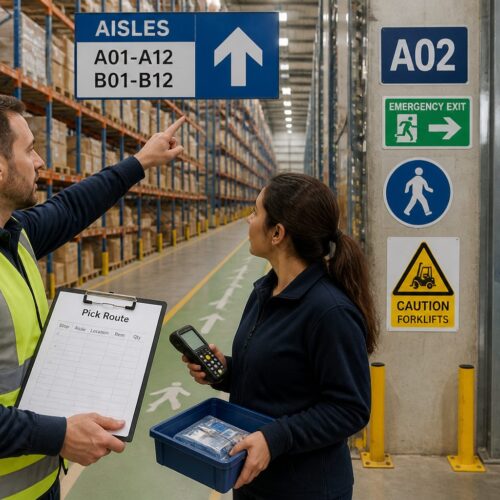
Doors need large identifiers visible from the approach path, and they need repeats at eye level for people on foot. I prefer oversized door numbers high on the column plus a smaller confirmation plate at the dock control panel.
Door identifiers should also survive wear, because dock doors get hit, scraped, and repainted constantly. Use materials and mounting methods that can take impacts and still stay readable after a few months of hard use.
It helps to add a directional cue near door banks, like “Doors N01–N15” with an arrow, so people know they are moving the right way. That one sign reduces the back-and-forth walking that kills productivity during peak.
Staging lane labels should be readable from the travel aisle, not only when you are standing inside the lane. Hang lane IDs perpendicular to travel so operators see them as they pass, and paint the same ID on the floor at the lane entrance.
Make lane labels match the physical reality of the lane, including how many pallets fit and what orientation they should sit. If a lane holds eight pallets but everyone tries to squeeze in ten, the label is not the problem, the lane rule is.
Staging areas also need function labels, because “Lane C3” is not enough when C3 is sometimes parcel sort and sometimes LTL build. If the function changes by shift, use a standard holder that makes the function obvious at a glance.
Exception areas deserve the same care as prime lanes, because they are where mistakes hide. A clearly marked HOLD or QA area prevents a single questionable pallet from becoming a full trailer rework.
Do not forget “you are here” references for visitors, especially at driver check-in and inside the breakroom exit. A small site map with inbound outbound directions reduces the parade of people asking for “door 22” at the shipping desk.
Those maps should be simple enough that a tired driver can read them in five seconds. If the map looks like an engineering drawing, it will be ignored and you will be back to giving verbal directions.
Support areas like restrooms, first aid, battery charging, and maintenance also need clear identification because they pull people away from the dock. When those areas are easy to find, supervisors spend less time escorting and more time managing flow.
Even small details like labeling dock office windows and clipboards can reduce confusion for visiting carriers. If every window looks the same, drivers will queue at the wrong one and block the right one.
Symbol sets that reduce verbal instructions
Symbols work when they are consistent, plain, and tied to a single action, like “scan,” “weigh,” “returns,” or “hazmat hold.” If your team has to debate what a pictogram means, scrap it and choose a simpler mark.
The best symbols are boring, because boring is fast to recognize. A symbol set should feel repetitive, because repetition is what turns a picture into a reflex.
Internationally recognized safety symbols matter in mixed-language sites, but logistics symbols need the same discipline. Pick one icon set for cross-dock layout signs, publish a one-page legend, and ban one-off clip art that looks different on every print job.
That legend should live where people actually look, like at the time clock, the dock office, and driver check-in. If you only store it in a shared folder, it will not help the people making decisions on the floor.
When you introduce a new symbol, tie it to a short verb so there is no doubt about the action. A scanner icon plus the word SCAN is clearer than a scanner icon alone, especially for new hires.
Color can support symbols, but it should not be the only meaning because lighting and color vision vary. If inbound is green and outbound is blue, keep the letters I and O on the sign so the message survives in grayscale.
Symbols also help when radios are overloaded, because people can point instead of explain. A supervisor can walk up, tap the HOLD sign, and the message lands without a long conversation.
Be careful with symbols that look like safety warnings, because workers may treat them as optional if everything looks like an alert. Save the strongest warning shapes for true hazards and use neutral shapes for normal operations.
Once you pick a set, keep it stable for at least a season so people build recognition. Frequent redesigns feel like improvement on paper, but they reset learning on the floor.
| Use case | Recommended symbol approach | Placement note |
|---|---|---|
| Inbound vs outbound identification | Arrow plus I or O letter marker | Repeat at yard entry and inside dock aisles |
| Staging lane function | Lane ID plus category icon, like parcel, pallet, returns | Hang at lane mouth and paint on floor border |
| Scan or sort point | Barcode or scanner icon with short verb, like SCAN | Mount at eye level near the trigger location |
| Quality hold or exception area | Stop hand icon plus HOLD label | Place before the area so freight does not enter by mistake |
| Battery charging and maintenance | Battery icon plus wrench icon | Use high contrast and add “authorized only” nearby |
Use the table like a starting kit, not a museum, and keep it aligned with how your team talks. If your dock calls it “problem freight” instead of “exceptions,” make the sign match the spoken language.
When a symbol is working, you will hear fewer full sentences and more short confirmations, like “hold area” or “scan point.” That is the sound of a system doing the thinking for people.
Numbering and naming doors for high turnover
Door naming fails when it fights human memory, like mixing “A-12” on one wall with “12A” on another. Pick one pattern and stick to it, because wayfinding for cross-dock operations depends on predictability more than cleverness.
Predictability also means avoiding special cases, like skipping numbers or adding “door 12B” after the fact. If you must add capacity, consider renumbering the whole run rather than creating a naming mess that lasts for years.
I like zone letters by wall, then increasing numbers in the direction of travel, such as N01 to N30 on the north line. If you have both sides of a dock aisle, add a side marker like N14-L and N14-R rather than inventing a second numbering run.
Two-digit numbering is usually enough, but three digits can help in very large buildings where door counts exceed 99. If you go to three digits, keep the leading zeros so spacing stays consistent and signs look uniform.
Make door identifiers readable at distance, and do not rely on a small label above the leveler. A driver backing in should see the door ID from the centerline, and a lift operator should see it from the main travel aisle.
Remember that drivers approach at an angle and often cannot see straight-on labels until they are committed. Angle-mounted repeats or overhead door bank signs can prevent the last-second correction that causes yard congestion.
High turnover labor needs redundancy, so repeat door IDs on the wall, on the column, and on the dock light box if you have one. The extra prints cost less than one misloaded trailer that leaves with the wrong freight.
Redundancy also helps when freight or equipment blocks one view, which happens constantly in real operations. If a pallet stack hides the wall number, the overhead number should still be visible.
Keep door names short enough to say on the radio without confusion, because people will still talk even with great signs. A naming scheme that sounds similar, like N15 and N50, increases mishears and creates avoidable rework.
When you have dedicated doors for certain carriers or lanes, label the function separately from the door ID. Door N12 can be “N12” every day, while the insert panel can say “Carrier X” when needed and come down when it changes.
If you inherit a building with messy naming, fix it in a controlled cutover with a map, a conversion chart, and a clear effective date. The worst approach is a slow drift where half the building uses old names and half uses new.
Traffic separation: pedestrians, forklifts, and pallet jacks
Traffic separation is where safety and speed stop competing and start cooperating. When pedestrians know exactly where to walk, lift operators stop creeping and start driving at a steady pace.
Separation also reduces the mental load on everyone, because fewer surprises means fewer sudden stops. Sudden stops are where loads shift, product gets damaged, and temp labor gets hurt.
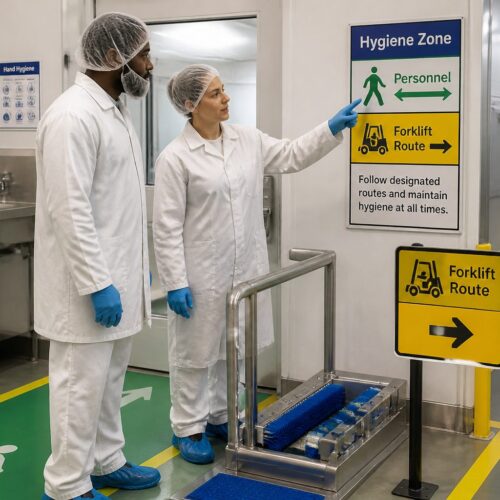
Use floor lines for continuous guidance and signs for the “why,” like “pedestrian route to office” or “forklifts only past this point.” Cross-dock layout signs should back up the floor plan, not contradict it with random arrows.
Floor markings should be maintained like equipment, because worn lines are the same as missing lines. If tape peels and paint fades, people stop trusting the boundaries and start walking wherever is convenient.
At intersections, add stop control that matches the risk, such as forklift stop bars, convex mirrors, and a simple right-of-way rule. If the rule changes by intersection, nobody trusts it, and they revert to eye contact and hand waves.
Right-of-way rules should be posted in plain language, not buried in a safety binder. A small sign that says “Forklifts stop, pedestrians cross” is more effective than a policy that nobody remembers.
Some docks benefit from one-way travel aisles for forklifts, especially in narrow buildings with heavy two-way traffic. If you do one-way aisles, mark them aggressively with arrows and repeats so nobody guesses.
Pallet jacks live in the gray zone because they move like pedestrians but carry like equipment. Give them a marked route to staging, then use staging lane labels to keep hand moves out of the forklift travel lanes.
Hand-move routes should avoid pinch points near dock doors where lift traffic is constant. If the only path to a lane crosses a forklift highway, you will see near misses no matter how many signs you install.
Mark safe waiting zones for drivers and visitors who enter the building, because they often stand in the worst possible spots. A painted box with a clear “WAIT HERE” sign prevents wandering into active lanes.
Also label emergency exits and muster routes in a way that does not blend into operational signage. In an emergency, people should not have to decode whether an arrow is for freight flow or for evacuation.
Keeping signs accurate during peak shifts and rework
Signage breaks down during peak because operations changes faster than printing, like pop-up lanes, overflow doors, and temporary sort tables. If your signs lag reality, people stop reading them, and you lose the whole point of wayfinding for cross-dock operations.
Accuracy is the currency of signage, and once it is spent it is hard to earn back. One wrong sign can convince a whole shift that the system is unreliable.
Build a controlled “temporary signage kit” with magnetic placards, slide-in frames, and preprinted arrows in your standard colors. The kit lets a supervisor update inbound outbound directions in minutes without introducing a new style.
Temporary does not mean sloppy, and the kit should look like it belongs in the building. When temporary signs look official, people follow them instead of treating them like suggestions.
Decide who has authority to change signs, because too many editors creates chaos. A simple rule like “only the shift supervisor updates lane function cards” prevents well-meaning changes that conflict.
When rework happens, the building often gets rearranged with pallets and carts that block signs. During peak, do a quick walk every few hours to confirm that critical door IDs and lane labels are still visible.
If you run pop-up overflow, pre-plan overflow naming so you do not invent “Overflow 1” in three different places. Overflow should slot into the same hierarchy as normal lanes, even if it is temporary.
QR codes can help, but only if the physical sign still gives immediate direction. Treat QR as a backup for maps and details, not as the primary way to find a door while driving a forklift.
- Magnetic door ID overlays for overflow assignments
- Blank write-on lane cards sized to your standard holders
- Preprinted arrow placards in inbound and outbound colors
- Clip-on “HOLD” and “PRIORITY” tags for exception pallets
- Spare hanging sign hardware, hooks, and safety ties
- QR code label that links to the current dock map
Store the kit in a known location and label it clearly, because a kit nobody can find is not a kit. If you have multiple shifts, hand off the kit like a piece of equipment and confirm it is complete.
After peak, do a cleanup reset where temporary signs either become permanent or get removed. The dock should not accumulate old arrows and outdated lane cards that confuse the next surge.
Training new hires with signage, not speeches
Most cross-docks train by pairing a new person with a fast veteran and hoping the veteran explains the building. That works until the veteran takes a day off, and then the new person has no map in their head.
It also fails when the veteran has learned shortcuts that are not safe or not scalable. Signage can enforce the standard route and reduce the spread of bad habits.
Use signs to teach the mental model, so the building explains itself. If staging lane labels match the WMS lane names and the RF prompts, the worker learns one language instead of translating three.
That alignment is especially important for temps who may work only a few shifts and never fully memorize the layout. If they can follow consistent cues, they can still be productive without constant supervision.
Post a simple dock “grammar” at the time clock, like how to read door IDs and what each zone color means. It sounds basic, but it prevents the classic mistake where someone stages “B12” freight in “12B” because both exist in different forms.
Add one or two examples on that grammar sign, like “N14 = North wall, door 14” and “C3 = Zone C, lane 3.” Examples reduce the need for long explanations during onboarding.
Use the first week to teach routes, not just tasks, because routes are where time disappears. A new hire who knows the correct path to staging will outperform a faster picker who keeps taking wrong turns.
When you change a process, update the signs the same day and call it out in the pre-shift huddle. People remember what they see while they work, and they forget what they heard while they were half awake.
Make supervisors model the signage by using door and lane names consistently in instructions. If leaders say “take it over there by the blue doors,” workers will ignore your careful naming system.
Consider a short scavenger-hunt style orientation where new hires find a few key locations using signs only. If they cannot find the exception area without help, that is feedback about the wayfinding, not about the person.
Training also includes drivers, because drivers are part of the flow whether you like it or not. A clear check-in script plus strong inbound outbound directions reduces the number of drivers walking onto the dock to ask for help.
Design rules for legibility at speed and distance
Legibility is where many well-meaning sign programs fail, because someone designs for a clipboard distance instead of a forklift distance. If the sign is readable only when you are already at the door, it is a label, not wayfinding.
Design starts with understanding how fast people move and how little time they have to read. A forklift moving 6 to 8 mph covers a lot of floor in the seconds it takes to decode a cluttered sign.
Use high contrast, avoid condensed fonts, and keep the message short enough to read in one glance. I would rather see “N14” in huge characters than “North Door 14, Outbound” in tiny characters nobody can parse while moving.
Short messages also reduce translation issues, because numbers and single letters are universal. When you must use words, choose the simplest terms your operation uses every day.
Mount signs where people naturally look, which often means above the travel aisle and at the lane mouth, not centered on a wall behind stacked pallets. If you have seasonal overflow, plan sign locations that stay visible even when freight creeps into the aisle.
Height matters because loads and racking create visual clutter at eye level. Overhead signs should clear the tallest loads but still be low enough to read without craning the neck.
Repeat critical information at decision points, not in the middle of long straight runs. People do not need reminders when nothing changes, they need confirmation right before they commit to a turn or a lane.
Lighting matters more than most teams admit, especially in older buildings with dark roof structure and spotty LED retrofits. Walk the route at 2 a.m. during peak and check glare, shadows, and whether your inbound outbound directions disappear under sodium lights.
Material finish can help with glare, because glossy signs can wash out under bright fixtures. A matte finish often reads better in industrial lighting and stays legible from more angles.
Keep arrow shapes consistent, because different arrow styles slow recognition. A standard arrow with a clear point and consistent thickness is easier to follow than decorative arrows that vary by vendor.
Finally, do not overload a single sign with multiple destinations unless the viewer has time to process it. In fast areas, one sign should answer one question, like “Inbound doors this way” or “Staging lanes C1–C6.”
Aligning physical signs with WMS and carrier paperwork
Operators trust the RF screen and the bill of lading, so physical signs must match those names exactly. If your system says “STG-C3” but the floor says “Lane 3,” you invite hesitation and radio calls.
That hesitation is expensive because it happens at the worst time, when someone is holding a load and blocking a travel aisle. The best wayfinding reduces those micro-pauses by removing translation.
Set a naming convention that covers doors, staging lanes, and exception areas, then lock it in across IT and operations. Cross-dock layout signs should be the physical mirror of the WMS, not a separate local dialect.
Locking it in means updating master data, not just printing new signs. If the WMS location table is messy, the dock will stay messy no matter how good the graphics look.
Carriers add another layer because drivers follow appointment sheets and yard maps that may use old door names. If you renumber doors, update the driver-facing documents at the same time, or post a clear conversion chart at check-in.
The conversion chart should be temporary and dated, because you do not want it living forever as a crutch. The goal is one naming system, not two systems with a translator taped to the wall.
When you run both parcel and pallet freight, keep the differences visible with color and icons, but keep the naming logic consistent. That mix is where wayfinding for cross-dock operations earns its keep, because the building shifts mode across the day.
Also align with paperwork terms like PRO numbers, route codes, and destination abbreviations, because those show up on pallet labels. If the paperwork says “DAL” but your lane sign says “Dallas,” decide which one is the standard and use it everywhere.
If you use handheld scanning, consider printing location codes on signs in a scannable format where it makes sense. A small barcode next to “C3” can reduce keying errors without cluttering the main message.
For driver-facing alignment, keep check-in instructions consistent with what the driver will see in the yard. If the guard shack says “Outbound right,” the next sign should confirm “Outbound” instead of switching to “Shipping.”
Alignment is also about change control, because IT changes and dock changes often happen on different timelines. If a location name changes in the WMS, make signage updates part of the same ticket, not an afterthought.
Measuring success: fewer missed doors and faster staging
If you want buy-in, measure outcomes that supervisors already care about, like mis-staged pallets, missed doors, and trailer dwell time. A sign program that cannot show results becomes a “nice to have” the first time budgets tighten.
Start with a baseline, because memory is unreliable and everyone thinks the past was better or worse depending on the day. A two-week snapshot of misses and rework gives you something solid to compare against.
Track exceptions by location, not just by count, so you can see whether a specific door bank needs better inbound outbound directions. When you see misses cluster around the same corner, that is usually a sightline problem or a confusing naming break.
Also track the type of miss, like wrong door, wrong lane, or wrong side of the aisle, because the fix is different for each. Wrong door is often numbering and visibility, while wrong lane is often function labeling and overflow rules.
Time studies help, but keep them practical, like measuring the average minutes from unload to correct staging lane for a standard inbound. If staging lane labels are doing their job, that time drops and the variance tightens because fewer people wander.
Variance matters because it shows whether the system is reliable for average workers, not just for your top performers. A good wayfinding system makes the middle of the roster faster and more consistent.
Also listen for the soft signals, like fewer radio questions about door locations and fewer walkers escorting drivers to the dock. When the building speaks clearly, your best people stop acting like human GPS units.
Another soft measure is how often supervisors have to physically point or lead someone to a location. If that behavior drops, your signs are absorbing the training load.
Audit misloads and OS&D notes for location-related causes, because those are expensive failures with clear documentation. If a misload traces back to a confusing door name, that is a direct ROI story for signage.
Finally, do a periodic walk with fresh eyes, like someone from another site or a new supervisor. If they can navigate using cross-dock layout signs without asking questions, your system is working.
Conclusion
Wayfinding for cross-dock operations is a practical tool, and it should look like one, plain language, consistent symbols, and placement that matches real movement. When cross-dock layout signs, staging lane labels, and inbound outbound directions all tell the same story, the dock runs calmer even when volume spikes.
It is also one of the few improvements that helps every role at once, from drivers to lift operators to supervisors. When people stop guessing where to go, they spend more time moving freight and less time negotiating space.
If you are rebuilding signage, start with door naming, then lanes, then the few symbols that remove the most radio chatter. After that, keep it honest by updating temporary changes fast, because accuracy is what makes people trust the signs.
Do not aim for perfection on day one, aim for consistency that survives turnover and peak volume. A simple, repeatable system beats a fancy system that only works when the building is quiet.